---
title: "Beamex MC6-T"
description: "De MC6-T combineert een geavanceerd temperatuurdroogblok met een ingebouwde multifunctionele proceskalibrator en communicatortechnologie."
image: "https://www.beamex.com/app/uploads/2022/11/mc6-t150-facing-left-v1.png"
url: "https://www.beamex.com/nl/kalibratoren/beamex-mc6-t/"
language: "nl-NL"
translations: {"en-GB":"https://www.beamex.com/calibrators/beamex-mc6-t/md/","en-US":"https://www.beamex.com/us/calibrators/beamex-mc6-t/md/","pt-PT":"https://www.beamex.com/pt/calibradores/beamex-mc6-t/md/","zh-CN":"https://www.beamex.cn/jiaoyanyi/beamex-mc6-t/md/","fi":"https://www.beamex.com/fi/kalibraattorit/beamex-mc6-t/md/","sv-SE":"https://www.beamex.com/sv/kalibratorer/beamex-mc6-t/md/","it-IT":"https://www.beamex.com/it/calibratori/beamex-mc6-t/md/","es-ES":"https://www.beamex.com/es/calibradores/beamex-mc6-t/md/","de-DE":"https://www.beamex.com/de/kalibratoren/beamex-mc6-t/md/","fr-FR":"https://www.beamex.com/fr/calibrateurs/beamex-mc6-t/md/"}
modified: "2026-02-09T07:35:11+00:00"
---

# Beamex MC6-T
Multifunctionele temperatuurkalibrator en communicator
[Download de brochure](https://www.beamex.com/app/uploads/2024/06/mc6-t-brochure.pdf)
[Plan een demo](https://resources.beamex.com/demo-request)
[Vraag de prijs aan](https://resources.beamex.com/request-a-quotation)
[Home](https://www.beamex.com/nl/) » [Producten](https://www.beamex.com/nl/kalibratoren/) » Beamex MC6-T
## De meest veelzijdige temperatuurkalibrator
De Beamex MC6-T combineert een geavanceerd temperatuurdroogblok met ingebouwde multifunctionele proceskalibrator- en communicatortechnologie. Hij biedt veelzijdigheid die geen andere temperatuurkalibrator kan evenaren, met kalibratiemogelijkheden voor temperatuur, druk en diverse elektrische signalen, evenals een multi-bus communicator voor Fieldbus-instrumenten.
**Kenmerken**
#### Superieure metrologische prestaties
De MC6-T biedt superieure metrologische prestaties en precisie voor temperatuur- en elektrische kalibraties. De actieve multizone (drievoudige/dubbele) temperatuurregelingstechnologie zorgt voor een uitstekende temperatuurgradiënt. Elke MC6-T wordt standaard geleverd met een traceerbaar, geaccrediteerd kalibratiecertificaat als bewijs van de precisie.
#### Stabiel en veilig
De MC6-T maakt gebruik van geavanceerde, gepatenteerde methoden voor het volgen van de stabiliteit, zodat alleen stabiele temperatuurmetingen worden gebruikt, zelfs in veeleisende industriële omgevingen of bij een schommelende netspanning. Hij beschikt ook over verschillende gepatenteerde veiligheidsfuncties.
#### Geavanceerde functies
De MC6-T biedt veelzijdigheid waaraan geen enkele andere temperatuurkalibrator kan tippen. Hij biedt kalibratiemogelijkheden voor temperatuur, elektrische signalen en zelfs druk. De MC6-T150 en MC6-T660 bieden een temperatuurbereik van -30 tot 660 ⁰C en kunnen volledig automatische kalibraties uitvoeren. De meeste meetfuncties zijn bruikbaar met de oplaadbare accu zonder aansluiting op de netspanning
#### Draagbare communicator
De MC6-T bevat een communicator voor HART-, FOUNDATION-Fieldbus- en Profibus PA-protocollen om uw slimme instrumenten te kalibreren, configureren en af te stellen. Alle drie de protocollen kunnen tegelijkertijd worden geactiveerd.
#### Digitale gegevensstroom
De MC6-T is een documenterende kalibrator die communiceert met de Beamex kalibratie managementsoftware, wat een volledig gedigitaliseerd kalibratieproces mogelijk maakt.

**Mogelijkheden**
#### Meet-, generatie- en simulatiemogelijkheden
- Temperatuur generatie
- Drukmeting (interne barometrische en externe drukmodules)
- Spanningsmeting (±1 V en −1…60 VDC)
- Stroommeting (±100 mA) (interne of externe voeding)
- Frequentiemeting (0…50 kHz)
- Pulstelling (0…10 Mpuls)
- Detectie schakelaartoestand (droog/nat-schakelaar)
- Ingebouwde 24 VDC-voeding loop (lage impedantie, HART-impedantie of FF/PA-impedantie)
- Spanningsopwekking (±1 V en −3…24 VDC)
- Stroomopwekking (0…55 mA) (actief/passief, d.w.z. interne of externe voeding)
- Weerstandsmeting, twee simultane kanalen (0…4 kΩ)
- Weerstandssimulatie (0…4 kΩ)
- RTD-meting, twee simultane kanalen
- RTD-simulatie
- TC-meting, twee simultane kanalen (universele connector/mini-stekker)
- TC-simulatie
- Frequentie-opwekking (0…50 kHz)
- Genereren van pulswachtrij (0…10 Mpuls)
- HART-communicator
- FOUNDATION-Fieldbus-communicator
- Profibus PA-communicator
(Sommige functies zijn optioneel)
**Specificaties**
#### Algemene specificaties
| FEATURE | VALUE |
|---|---|
| Dimensions | 322 mm x 180 mm x 298 mm (12,68″ x 7,09″ x 11,73″) |
| Weight | MC6-T150: 9.4 kg (20.7 lbs)
MC6-T660: 8.6 kg (18.96 lbs) |
| Display | 5.7” Diagonal 640 x 480 TFT LCD Module |
| Touch Panel | 5-wire resistive touch screen |
| Keyboard | Membrane keyboard |
| Backlight | LED backlight, adjustable brightness |
| Power requirements | 230 V ±10%, 50/60 Hz, 380 W (MC6-T150, 1560 W (MC6-T660)
115 V ±10%, 50/60 Hz, 380 W (MC6-T150), 1560 W (MC6-T660) |
| Fuse size (MC6-T660) | 230 V: T 8A 250V / 115 V: T 16A 250V |
| Fuse size (MC6-T150) | 230 V: T 3.15A 250V / 115 V: T 3.15A 250V |
| Max. input voltage | 30 V AC, 60 V DC |
| Operating temperature | 0 … 45 °C (32 … 113 °F) |
| Operating humidity | 0 … 90% R.H. non condensing |
| Storage temperature | -20 … 60 °C (-4 … 140 °F) |
| Computer interface | USB |
| Calibration certificate | Accredited calibration certificate |
| Warmup time | Specifications valid after a 5 minute warmup period |
| Battery type | Rechargeable lithium-ion polymer, 4300 mAh, 11.1 V |
| Charging time | Approximately 4 hours |
| Battery operation time | 10 … 16 hours |
| Battery operated functions | All functions except temperature control and R3 measurement |
| Safety | Directive 2014/35/EU, EN 61010-1:2010 + A1:2019 + AC:2019-04 |
| EMC | Directive 2014/30/EU, EN IEC 61326-1:2021 |
| RoHS compliance | RoHS II Directive 2011/65/EU, EN IEC 63000:2018 |
| Drop | EN 61010-1:2013 |
| Warranty | Warranty 3 years, 1 year for battery pack. |
| **Temperatuurspecificaties** |
|---|
| **FEATURE** | **MC6-T150** | **MC6-T660** |
|---|---|---|
| Temperature range at 23 °C (73 °F) | -30 … 150 °C (-22 … 302 °F) | 50 … 660 °C (122 … 1220 °F) |
| | | ±0.2 °C at 50 °C |
| Display uncertainty with internal reference 1) | ±0.15 °C | ±0.3 °C at 420 °C |
| | | ±0.5 °C at 660 °C |
| | | ±0.02 °C at 50 °C |
| Stability 2) | ±0.01 °C | ±0.03 °C at 420 °C |
| | | ±0.04 °C at 660 °C |
| | | ±0.05 °C at 50 °C |
| Axial uniformity at 40 mm | ±0.05 °C | ±0.25 °C at 420 °C |
| | | ±0.40 °C at 660 °C |
| | | ±0.10 °C at 50 °C |
| Axial uniformity at 60 mm | ±0.07 °C | ±0.40 °C at 420 °C |
| | | ±0.60 °C at 660 °C |
| Radial uniformity Difference between borings | | ±0.01 °C at 50 °C |
| | ±0.01 °C | ±0.05 °C at 420 °C |
| | | ±0.08 °C at 660 °C |
| Loading effect with internal reference sensor With 4 pcs 6 mm sensors | | ±0.02 °C at 50 °C |
| | ± 0.08 °C | ±0.08 °C at 420 °C |
| | | ±0.15 °C at 660 °C |
| Loading effect with external 6 mm reference sensor With 3 pcs 6 mm sensors | | ±0.01 °C at 50 °C |
| | ±0.005 °C | ±0.02 °C at 420 °C |
| | | ±0.03 °C at 660 °C |
| Hysteresis | ±0.03 °C | ±0.15 °C |
| Display resolution | 0.001 °C /°F / K | 0.001 °C /°F / K |
| Immersion depth | 150 mm (5.9 in) | 150 mm (5.9 in) |
| Insert outer dimensions | 30 mm (1.18 in) | 24.5 mm (0.96 in) |
| Heating time | 23 to 150 °C: 19 min | 50 to 660 °C: 15 min |
| | -30 to 150 °C: 23 min | |
| | 150 to 23 °C: 17 min | 660 to 50 °C: 35 min |
| Cooling time | 23 to -30 °C: 23 min | 660 to 100 °C: 25 min |
| | 150 to -30 °C: 37 min | |
| Stabilization time 3) | 5 to 10 min | 10 min |
[Bekijk de brochure voor volledige specificaties](https://www.beamex.com/app/uploads/2024/06/mc6-t-brochure.pdf)
**Bronnen**
#### Vind gebruikershandleidingen, brochures, verklaringen en meer
[Bekijk alle handleidingen en brochures in alle talen >](https://www.beamex.com/manuals-and-brochures/)
 Brochure
### [Beamex MC6-T brochure](https://www.beamex.com/app/uploads/2024/06/mc6-t-brochure.pdf)
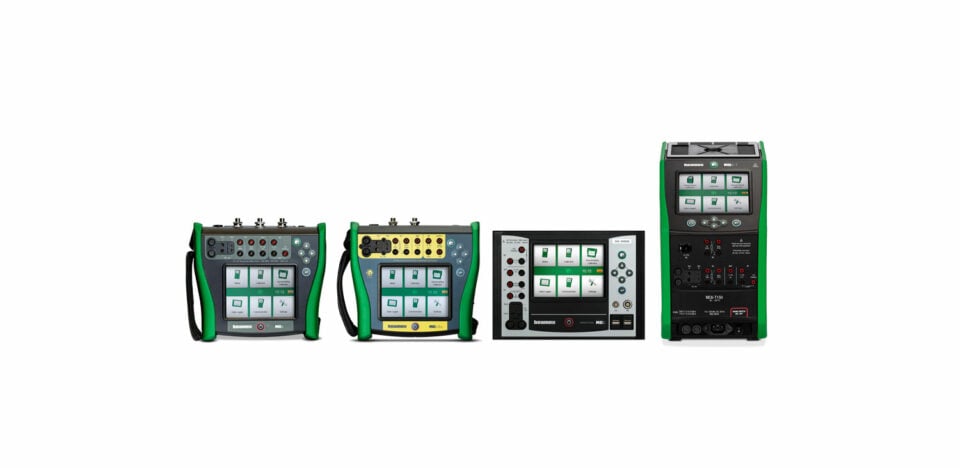
The Beamex MC6-T is an extremely versatile portable automated temperature calibration system. It combines a state-of-the-art temperature dry-block with Beamex MC6 multifunction process calibrator technology
 Downloadcentrum
### [MC6, MC6-T, MC6-Ex, and MC6-WS downloads](https://resources.beamex.com/mc6-family-download-page)
Download firmware and Device Description (DD) updates, and software tools.
 Handleiding
### [Beamex MC6-T manual](https://www.beamex.com/app/uploads/2026/06/mc6-t-user-manualeng.pdf)
Beamex MC6-T is an advanced, high-accuracy field calibrator and communicator. It offers calibration capabilities for temperature, various electrical signals as well as pressure
**Accessoires**
#### Aanvullende producten en accessoires voor Beamex MC6-T

### [MC6-T accessoires](https://shop.beamex.com/all-products/?_bc_fsnf=1&Related+product%5B%5D=MC6-T150&Related+product%5B%5D=MC6-T660)
**[Meer info >](https://shop.beamex.com/all-products/?_bc_fsnf=1&Related+product%5B%5D=MC6-T150&Related+product%5B%5D=MC6-T660)**
### [Accessoires voor temperatuurkalibratie](https://shop.beamex.com/temperature-calibration/)
**[Meer info >](https://shop.beamex.com/temperature-calibration/)**

### [Inserts voor MC6-T](https://shop.beamex.com/temperature-calibration/inserts-for-mc6-t/)
**[Meer info >](https://shop.beamex.com/temperature-calibration/inserts-for-mc6-t/)**
### [Temperatuursensoren](https://shop.beamex.com/temperature-calibration/temperature-sensors/)
**[Meer info >](https://shop.beamex.com/temperature-calibration/temperature-sensors/)**
### [Externe drukmodules](https://shop.beamex.com/pressure-accessories/external-pressure-modules-ext/)
[**Meer info >**](https://shop.beamex.com/pressure-accessories/external-pressure-modules-ext/)
## [MC6-T presentation](https://www.youtube.com/watch?v=lssU_b7gvsc)

## Klaar voor het veld
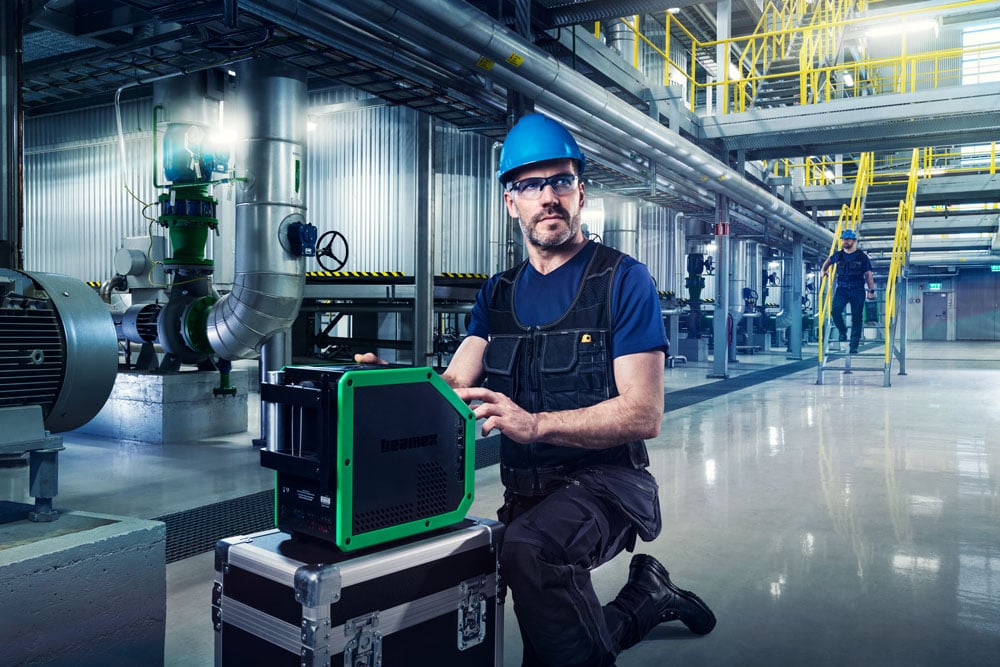
Klaar voor het veld De MC6-T is uniek qua functionaliteit in één apparaat. U hoeft dus minder in het veld mee te nemen.
De kalibrator is ontworpen om precisie te behouden, zelfs onder wisselende omgevingsomstandigheden of bij een schommelende netspanning. Het gepatenteerde algoritme voor de temperatuurregeling zorgt voor snelle verwarming en koeling zonder overschrijdingen, wat de efficiëntie verbetert en tijd bespaart.
De MC6-T heeft diverse unieke veiligheidsfuncties, zoals een kantelsensor, waarschuwingslampje en standalone oververhittingsbeveiliging.
## Een betere manier om te kalibreren
Temperatuurkalibraties zijn van nature vrij langzaam, maar de MC6-T helpt u om efficiënter te kalibreren.
Temperatuurkalibraties zijn van nature vrij langzaam, maar de MC6-T helpt u om efficiënter te kalibreren.
De ingebouwde proceskalibrator en geavanceerde groepskalibratie maken een volledig automatische documentatie van de kalibratie van meerdere temperatuurinstrumenten tegelijkertijd mogelijk.
Zelfs bij automatische kalibratie is een lage kalibratieonzekerheid gegarandeerd, aangezien de MC6-T ervoor zorgt dat alleen stabiele temperatuurmetingen worden gebruikt. Daarnaast compenseert de actieve multizone-temperatuurregelingstechnologie het warmteverlies dat wordt veroorzaakt door de temperatuursensoren die in de insert zijn geïnstalleerd.
Als echt multifunctioneel apparaat is de MC6-T ook bruikbaar voor nauwkeurige elektrische en drukkalibraties.
> Het is geweldig om te zien wanneer de sonde de juiste temperatuur bereikt en stabiel is vóór het uitvoeren van een meting. Geen giswerk en minder menselijke fouten. Een mogelijkheid om geld te besparen bij sondes die mogelijk te vroeg zijn getest en als mislukt zijn aangemerkt vanwege de fout die nog niet is gestabiliseerd in een ander temperatuurblok.

> De volledig ingebouwde MC6-interface in de Beamex MC6-T is bijzonder handig. Door externe drukmodules te kunnen aansluiten, kunnen we verschillende routes bouwen op basis van die temperaturen en bereiken, terwijl de andere routes realiseerbaar zijn met de ingebouwde modules.

## Digitale gegevensstroom
De MC6-T is een documenterende kalibrator die gegevens digitaal registreert bij de bron en zorgt voor een veilige gegevensstroom tussen de kalibrator en de [Beamex LOGiCAL](https://www.beamex.com/nl/kalibratiesoftware/logical/) of [CMX kalibratiemanagementsoftware](https://www.beamex.com/nl/kalibratiesoftware/cmx/).
Als communicator kan hij zelfs digitaal communiceren met slimme veldinstrumenten.
De naadloze gegevensstroom tussen producten zorgt voor efficiëntie en hoogwaardige gegevens.
Gebruik kalibratiemanagementsoftware om te beheren wat, hoe en wanneer u moet kalibreren en voer de kalibratie uit met de MC6-T volgens uw vooraf geconfigureerde kalibratieprocedure – zelfs volledig automatisch. Houd de volledige kalibratiegeschiedenis bij in LOGiCAL of CMX. Deze oplossing levert nauwkeurige metingen en traceerbare, betrouwbare en herbruikbare gegevens voor analyse, rapportage en kalibratiecertificaten.
## Duurzaam ontwerp
Duurzaamheid is een kerncomponent van de [Beamex ontwerpfilosofie](https://www.beamex.com/about-us/sustainability/). Wij willen dat u uw kalibratoren jarenlang kunt gebruiken, we hebben ze ontworpen zodat ze een lange levensduur hebben en zo eenvoudig mogelijk kunnen worden gerepareerd, onderhouden en geüpgraded.
Onze internationaal toonaangevende deskundigen kunnen u helpen om uw kalibrator gedurende de gehele levenscyclus optimaal te benutten met kalibratie- en reparatieservices, training en kalibratieadvies.
Om aan uw veranderende behoeften te voldoen, evolueren onze producten voortdurend. Firmware-updates bieden nieuwe functies of prestatieverbeteringen en u kunt uw bestaande producten ook upgraden met nieuwe modules of softwarefuncties. Accessoires zijn snel en eenvoudig beschikbaar in de [webshop van Beamex](https://shop.beamex.com/?_gl).

## e-learning: Industriële temperatuurkalibratie
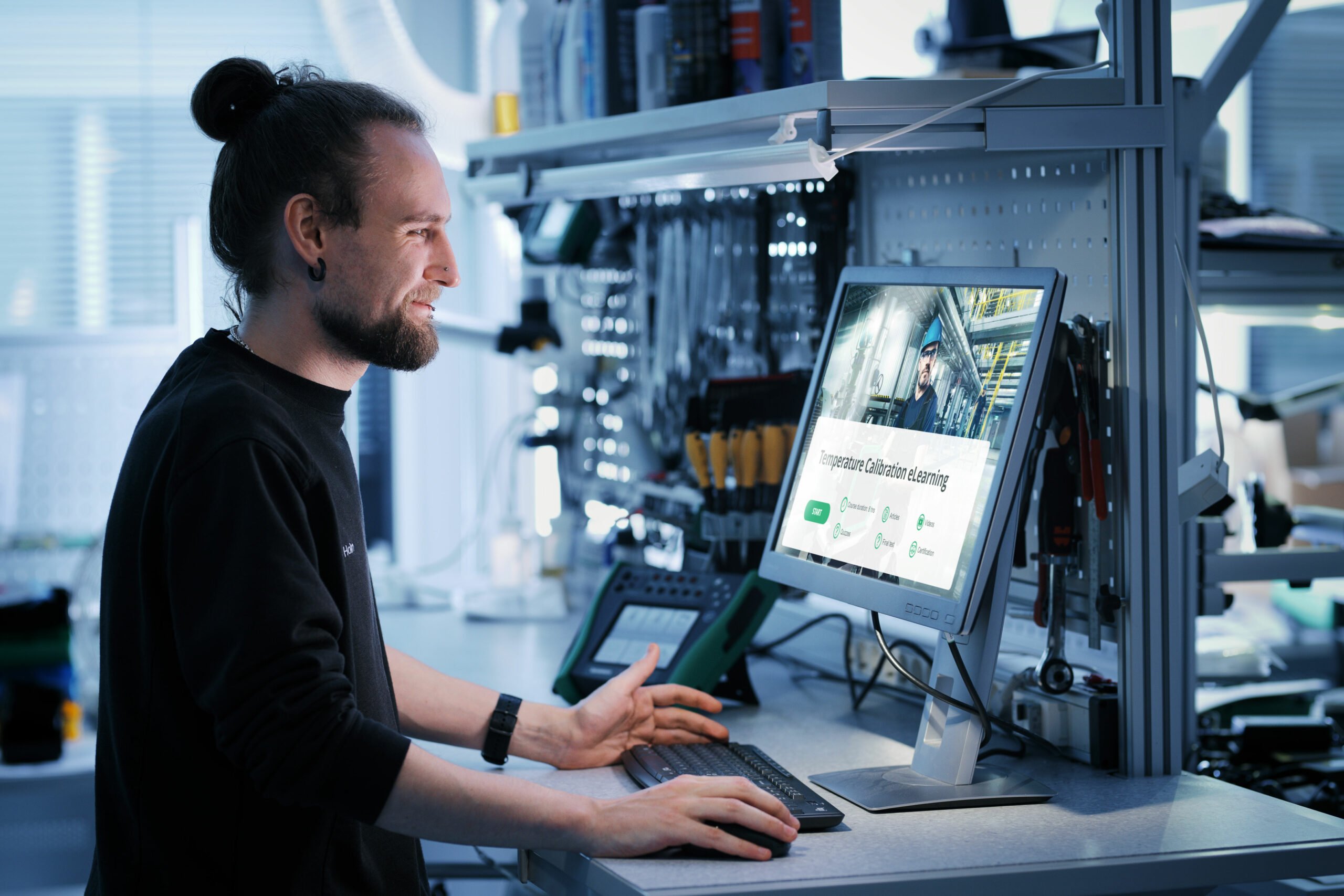
Krijg temperatuurkalibratie onder de knie met deze gratis uitgebreide training van Beamex. Verdiep uw kennis, doe de quiz en verdien uw certificaat!
[Begin de training](https://resources.beamex.com/beamex-elearning-master-industrial-temperature-calibration)

## Hygiënische en korte sensorkalibratie
De MC6-T150 is ontworpen om korte en hygiënische sensoren nauwkeurig te kalibreren, iets waartoe traditionele temperatuurdroogblokken meestal niet in staat zijn.
U kunt de onderdompelingsdiepte van geflensde sensoren optimaliseren met een speciale insert en Beamex SIRT – een speciale korte referentiesensor met een flexibele kabel.
Meer informatie over [het kalibreren van korte en hygiënische sensoren.](https://blog.beamex.com/sanitary-temperature-sensor-calibration)
## Beschikbare modellen
### MC6-T150
-30 … 150 °C
(-22 … 302 °F)
### MC6-T660
50 … 660 °C
(122 … 1220 °F)
[Download de brochure](https://www.beamex.com/app/uploads/2024/06/mc6-t-brochure.pdf)
[Plan een demo](https://resources.beamex.com/demo-request)
[Vraag de prijs aan](https://resources.beamex.com/request-a-quotation)
## Modi voor de gebruikersinterface
Een kalibrator moet geavanceerde functies hebben en toch gebruiksvriendelijk blijven. Daarom biedt de MC6-T verschillende modi voor de gebruikersinterface die zijn geoptimaliseerd voor verschillende toepassingen. De modus Temperature Calibrator is bijvoorbeeld bestemd voor snelle en eenvoudige temperatuuropwekking en -meting. Als u automatisch gedocumenteerde kalibraties wilt uitvoeren, gebruikt u de modus Documenting van de kalibrator.
**Temperatuurkalibrator**

#### Temperatuurkalibrator
De modus Temperature Calibrator is geoptimaliseerd voor snel en eenvoudig gebruik van temperatuur generatie en -meting.
De gewenste temperatuur kan snel worden ingevoerd op het virtuele numerieke toetsenbord. De interne of externe referentiesensor is ook gemakkelijk meetbaar.
De weergave van de temperatuurwaarden gebeurt numeriek of grafisch.
Simultane meting van extra kanalen is mogelijk.
**Documenterende kalibrator**
#### Documenterende kalibrator
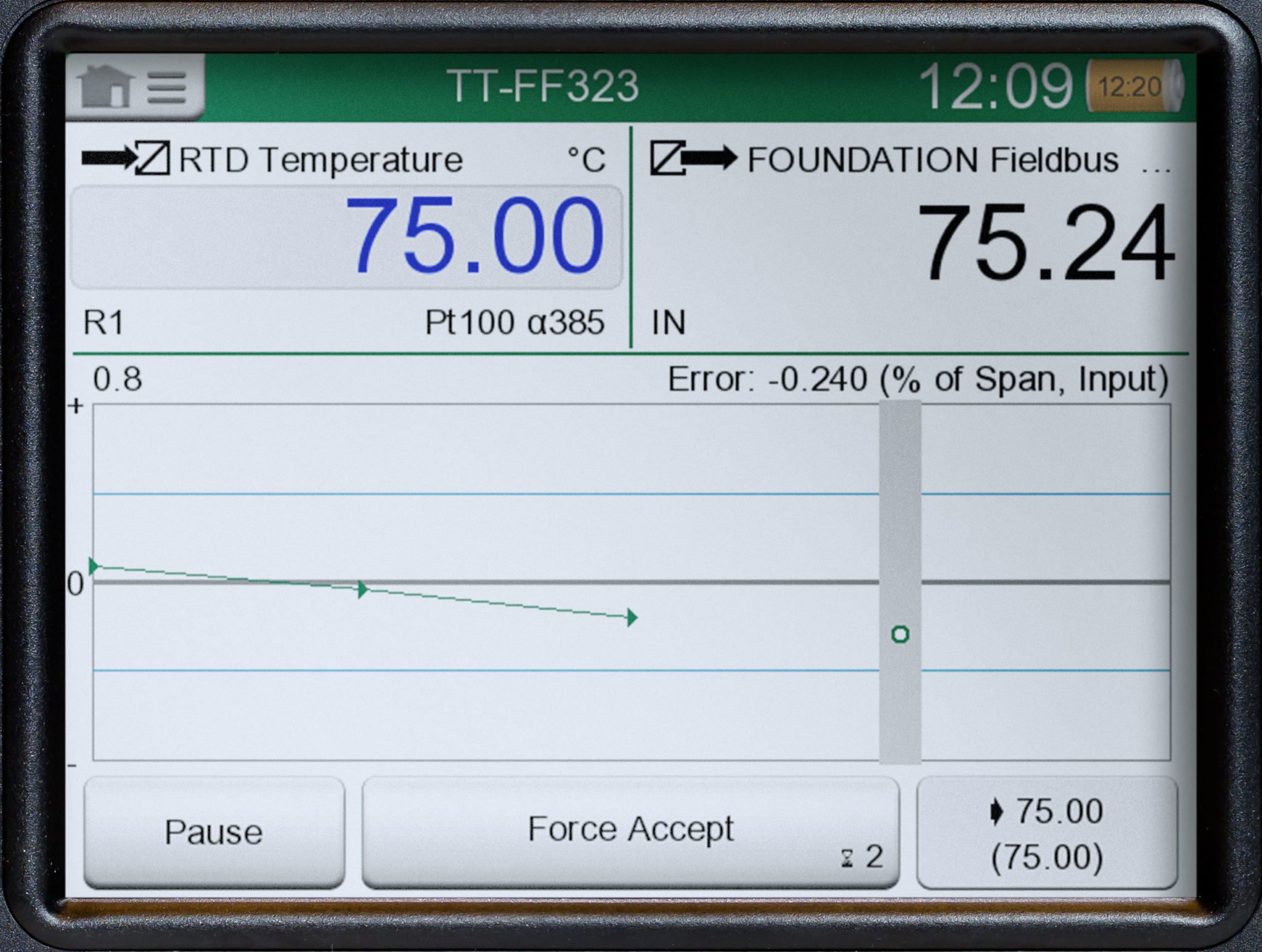
De modus Documenting van de kalibrator is ontworpen voor de gedocumenteerde en geautomatiseerde kalibratie van procesinstrumenten.
In moderne procesinstallaties moeten kalibraties vaak worden gedocumenteerd. Zonder een documenterende kalibrator moet u dit handmatig doen, wat veel kostbare tijd kost en foutgevoelig is.
Met de modus Documenting van de kalibrator wordt het kalibratieproces begeleid. De kalibrator kan automatisch de kalibratiepunten instellen en de resultaten documenteren. De modus Documenting van de kalibrator werkt ook in combinatie met kalibratiemanagementsoftware.
**Kalibrator**
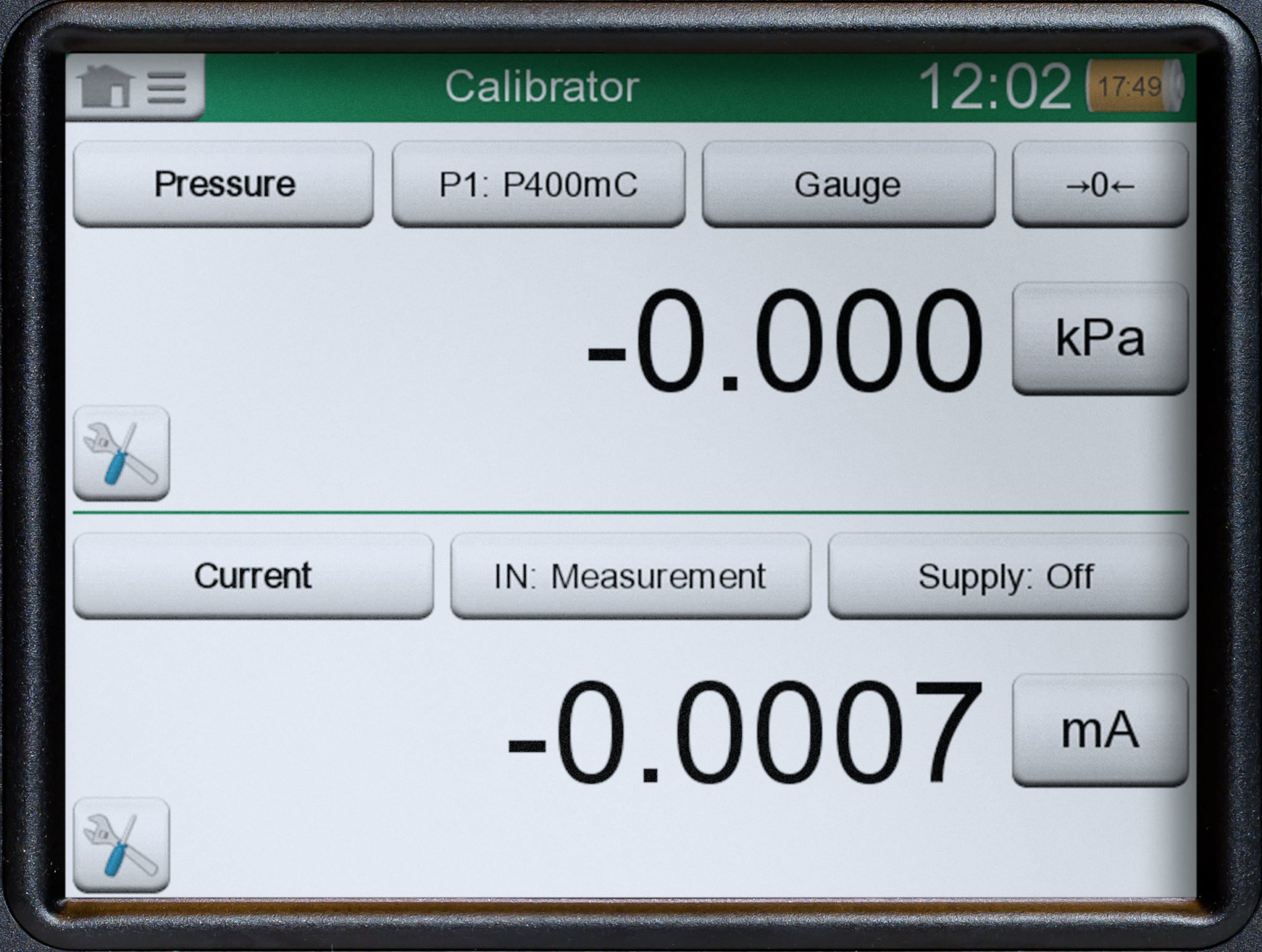
#### Kalibrator
De modus Calibrator is ontworpen voor het kalibreren van verschillende procesinstrumenten. Hiermee kunt u twee signalen tegelijkertijd meten of simuleren.
Vaak moet u procesinstrumenten controleren en kalibreren, die meestal zijn voorzien van een ingang en een uitgang. Dit betekent dat u twee apparaten nodig hebt, of één apparaat dat twee dingen tegelijkertijd kan.
De modus Calibrator is geoptimaliseerd voor dit type gebruik.
**Datalogger**
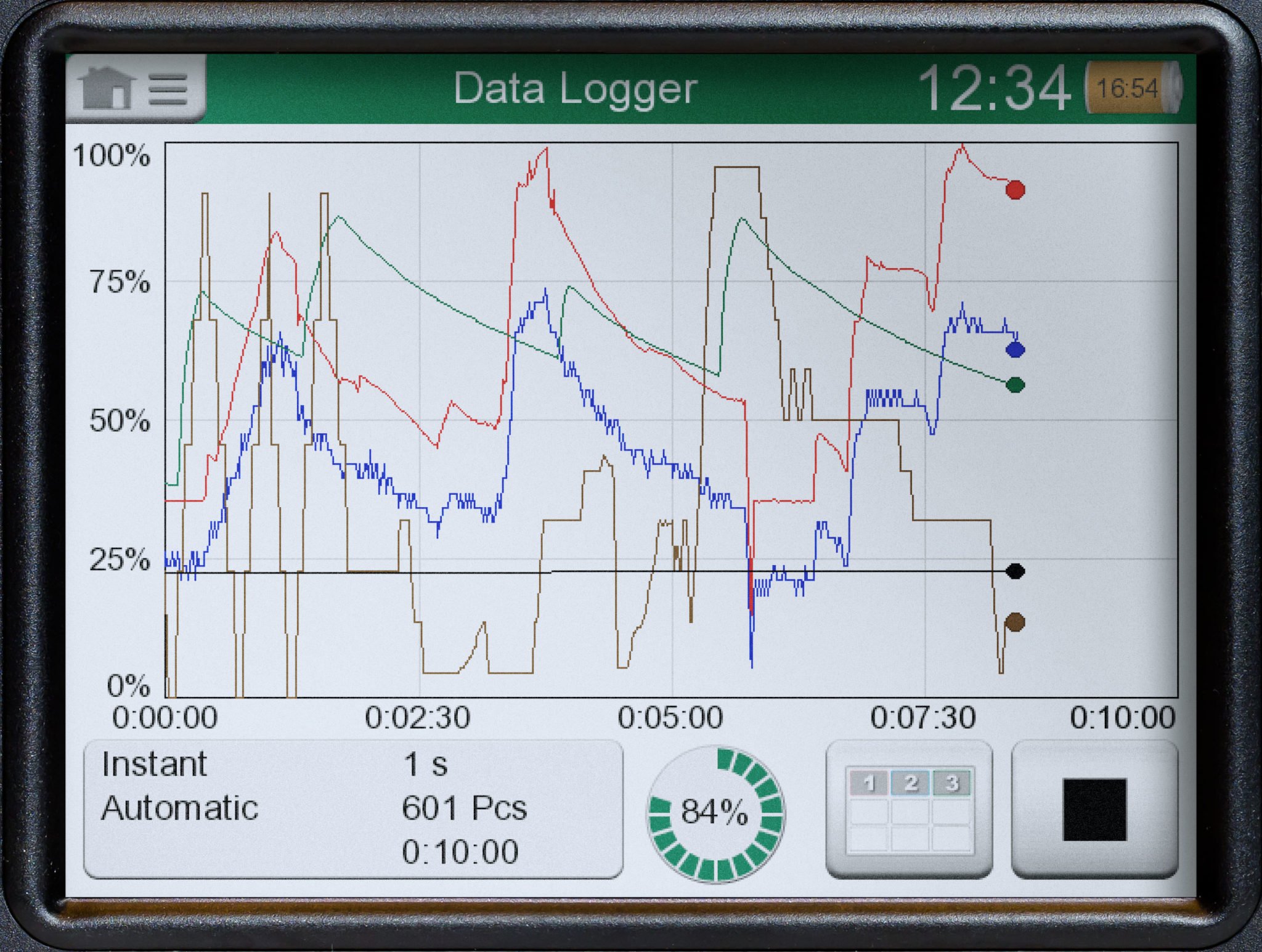
#### Datalogger
De datalogger is ontworpen om tot negen metingen tegelijk te registreren.
In de industrie is het vaak nodig om signalen gedurende een bepaalde periode te meten en de resultaten op te slaan voor latere analyse. Dit kan verband houden met probleemoplossing, bewaking of kalibratie.
De resultaten van de gegevensregistratie kunnen numeriek of grafisch worden weergegeven en voor verdere analyse naar een pc worden overgedragen.
De modus Data Logger is geoptimaliseerd voor dit type gebruik.
**Communicator**
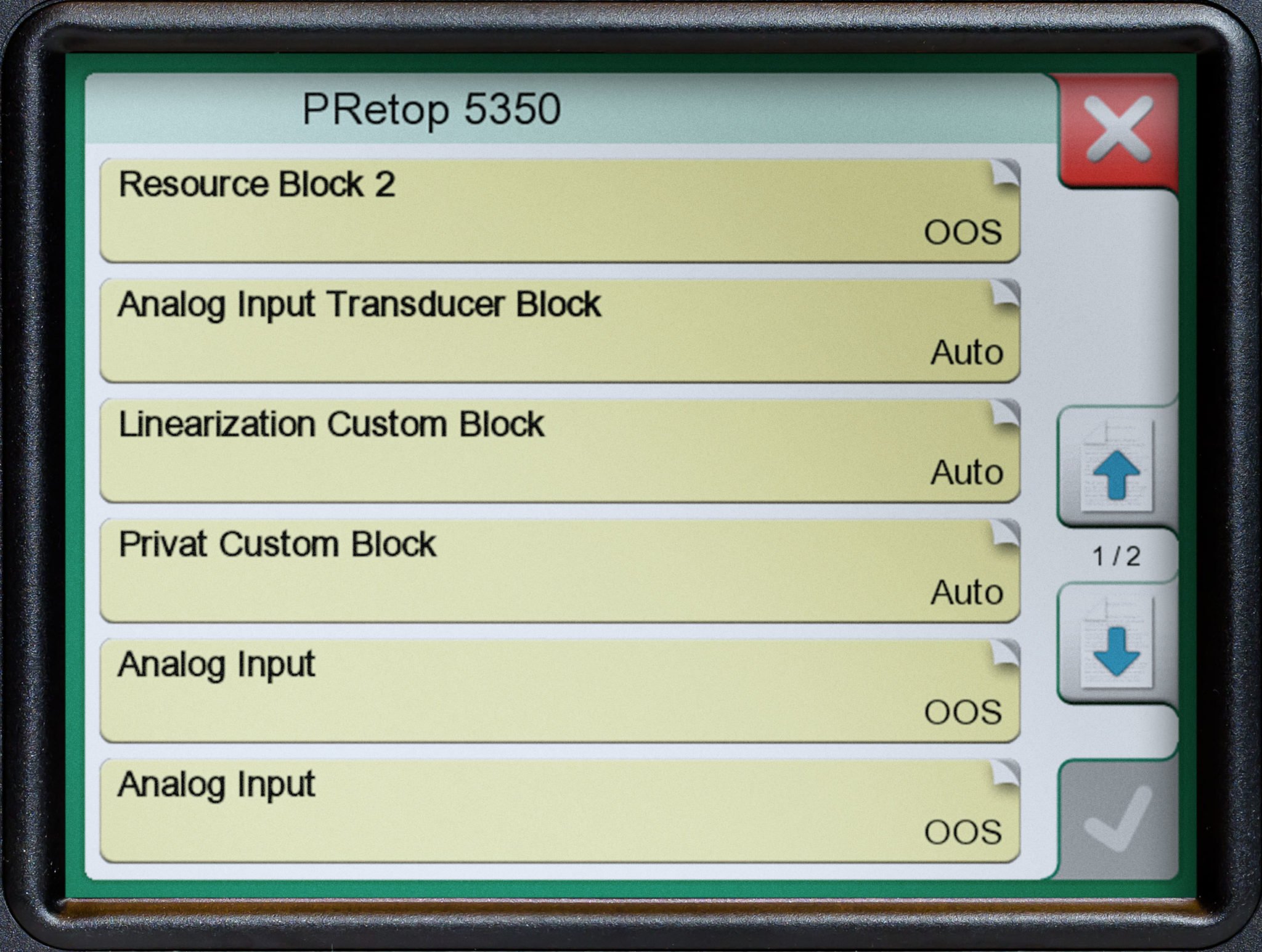
#### Communicator
De modus Communicator is ontworpen voor communicatie met Fieldbus-instrumenten.
In de huidige procesinstallaties wordt steeds vaker gebruik gemaakt van slimme instrumentatie, waardoor ingenieurs communicatoren of configuratiesoftware moeten gebruiken. Het merendeel van deze instrumentatie is HART, FOUNDATION-Fieldbus of Profibus PA.
De Communicator-modus is geoptimaliseerd voor gebruik van de communicator om uw slimme instrumenten te kalibreren, configureren en af te stellen.
## Educatieve video’s over temperatuurkalibratie
 Video
### [Temperature loop calibration and trim with the Beamex MC6](https://www.beamex.com/videos/temperature-loop-calibration-and-trim-with-the-beamex-mc6-video/)
How to automatically calibrate and trim a HART temperature transmitter using the Beamex MC6 calibrator and CMX calibration management software.
 Video
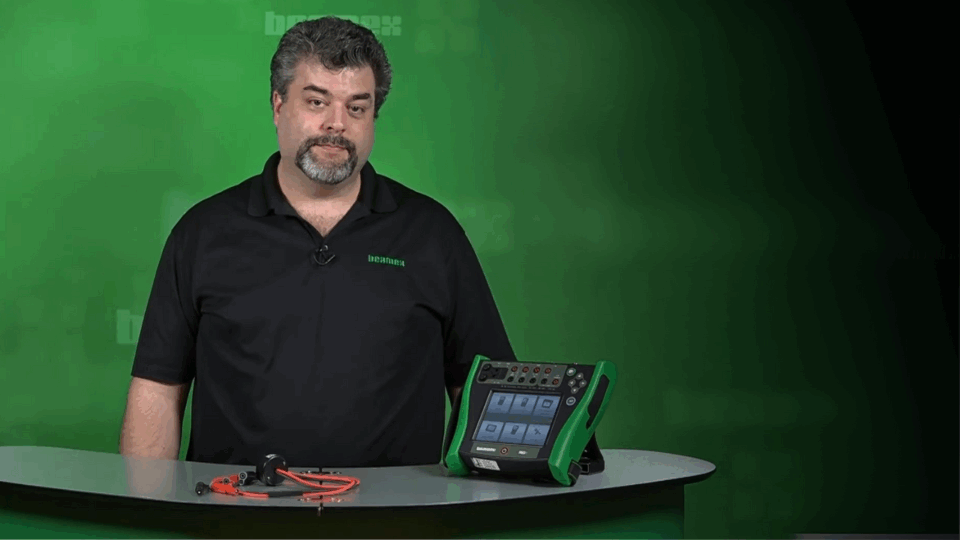
### [Beamex MC6-T Multifunction Temperature Calibrator and Communicator](https://www.beamex.com/videos/beamex-mc6-t-temperature-calibrator-video/)
With the ability to generate temperature as well as to measure and simulate temperature and electrical signals, the Beamex MC6-T offers a really unique combination of functionality.
 Video
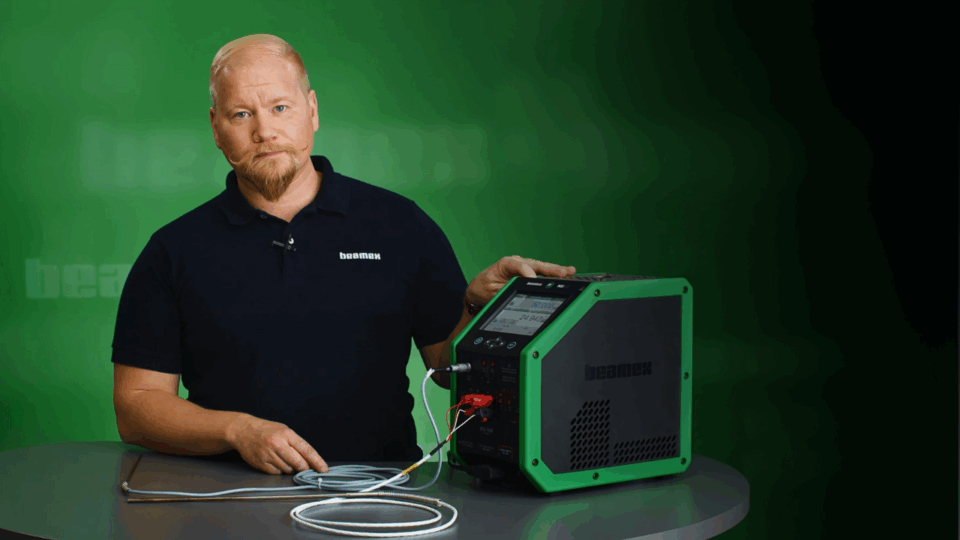
### [Introducing Beamex MC6-T Temperature Calibrator](https://www.beamex.com/videos/introducing-beamex-mc6-t-temperature-calibrator-video/)
The MC6-T is made for industrial environments and is designed to minimize the effects of varying environmental conditions. Also, it is designed to eliminate the effects of any fluctuations in the AC mains power voltage.
 Video
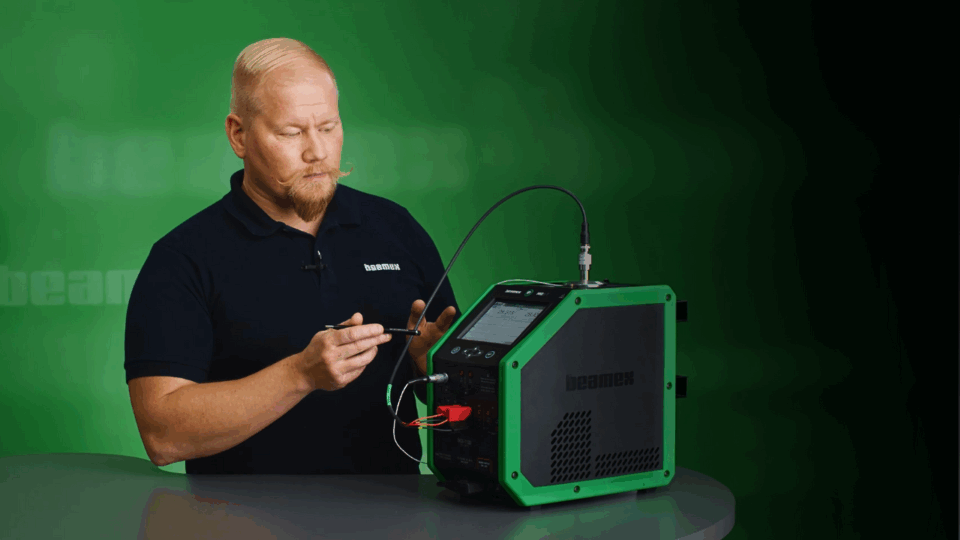
### [How to calibrate a Pt100 temperature sensor with Beamex MC6-T](https://www.beamex.com/videos/how-to-calibrate-a-pt100-temperature-sensor-video/)
Temperature measurement is one of the most common measurements in the process industry and the Pt100 temperature sensors are very common sensors. Every temperature measurement loop has a temperature sensor as the first component in the loop.
 Video
### [How to calibrate a sanitary temperature sensor with Beamex MC6-T](https://www.beamex.com/videos/how-to-calibrate-a-sanitary-temperature-sensor-video/)
The calibration of sanitary sensors is different than calibrating normal temperature sensors. In this video, we will show you how to calibrate a short sanitary temperature sensor automatically.
## Gerelateerde producten en diensten
### [Kalibratiesoftware-](https://www.beamex.com/nl/kalibratiesoftware/)
Kalibratiemanagement
software maakt een geautomatiseerde digitale gegevensstroom mogelijk, bij gebruik in combinatie met documenterende kalibratoren van Beamex.
**[Meer informatie >](https://www.beamex.com/nl/kalibratiesoftware/)**
### [Temperatuursensoren](https://www.beamex.com/nl/kalibratoren/temperatuursensoren/)
Vind temperatuursensoren voor gebruik met de MC6-T.
**[Meer informatie >](https://www.beamex.com/nl/kalibratoren/temperatuursensoren/)**

### [Services](https://www.beamex.com/nl/services/)
Houd uw kalibrator operationeel en traceerbaar gedurende de gehele levenscyclus met kalibratie- en serviceplannen.
**[Meer informatie >](https://www.beamex.com/nl/services/)**
## Ontdek gerelateerde content
 Video
### [Beamex MC6-T Multifunction Temperature Calibrator and Communicator](https://www.beamex.com/videos/beamex-mc6-t-temperature-calibrator-video/)
With the ability to generate temperature as well as to measure and simulate temperature and electrical signals, the Beamex MC6-T offers a really unique combination of functionality.
 Video
### [Introducing Beamex MC6-T Temperature Calibrator](https://www.beamex.com/videos/introducing-beamex-mc6-t-temperature-calibrator-video/)
The MC6-T is made for industrial environments and is designed to minimize the effects of varying environmental conditions. Also, it is designed to eliminate the effects of any fluctuations in the AC mains power voltage.
Whitepaper
### [How to choose a calibration laboratory](https://resources.beamex.com/lp-how-to-choose-calibration-laboratory)
What things do you need to consider when choosing a calibration laboratory for your calibrator or reference standard?
 Video
### [How to calibrate a Pt100 temperature sensor with Beamex MC6-T](https://www.beamex.com/videos/how-to-calibrate-a-pt100-temperature-sensor-video/)
Temperature measurement is one of the most common measurements in the process industry and the Pt100 temperature sensors are very common sensors. Every temperature measurement loop has a temperature sensor as the first component in the loop.
 Video
### [How to calibrate a sanitary temperature sensor with Beamex MC6-T](https://www.beamex.com/videos/how-to-calibrate-a-sanitary-temperature-sensor-video/)
The calibration of sanitary sensors is different than calibrating normal temperature sensors. In this video, we will show you how to calibrate a short sanitary temperature sensor automatically.
Blog
### [How to choose a calibration laboratory – 13 things to consider](https://blog.beamex.com/how-to-choose-calibration-laboratory)
What things do you need to consider when choosing a calibration laboratory for your calibrator or reference standard?
 Video
### [Using the Spinner tool from a documenting calibration procedure](https://www.beamex.com/videos/using-the-spinner-tool-from-a-documenting-calibration-procedure/)
Did you know that you can access the spinner tool from within the Documenting Calibrator mode in your MC6, allowing you to slowly increase the temperature until an alarm is detected?
Blog
### [How to get your boss to buy you a new calibrator](https://blog.beamex.com/how-to-get-your-boss-to-buy-you-a-new-calibrator)
In this blog, we look at how you can talk to your boss to convince them to get a new calibrator.
Whitepaper
### [HART Communicator vs. HART Calibrator – The Key Differences](https://resources.beamex.com/lp-hart-communicator-vs-hart-calibrator)
Discover the Key Differences Between HART Communicators and HART Calibrators
 Blog
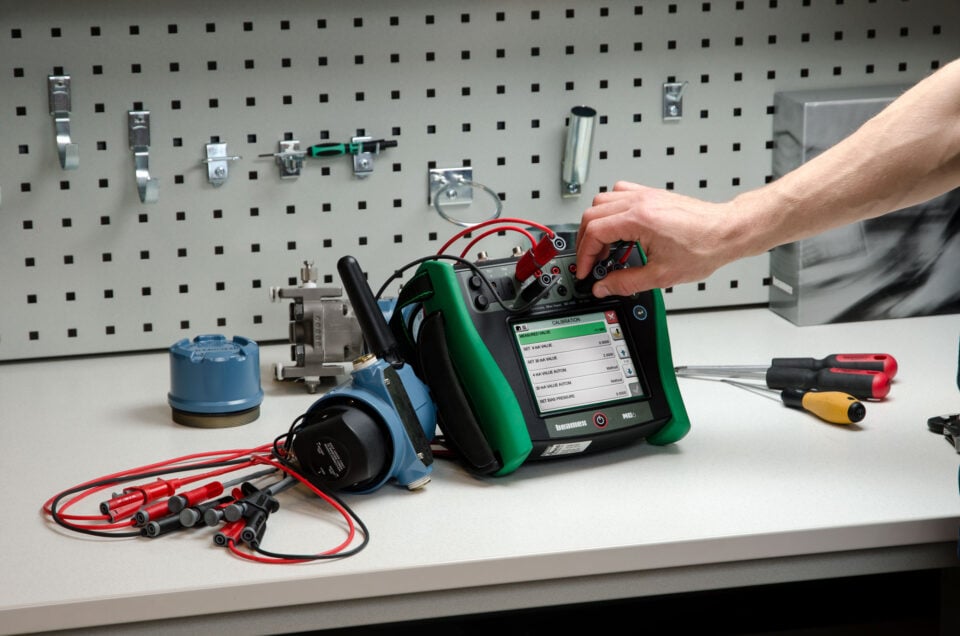
### [HART Communicator vs. HART Calibrator: Understanding the Key Differences](https://blog.beamex.com/hart-communicator-vs-hart-calibrator-understanding-the-key-differences)
Learn the differences of HART Communicator and HART Calibrator.
eBook
### [Calibration Essentials: Pressure](https://resources.beamex.com/en/calibration-essentials-pressure)
Download 40 pages of detailed strategies and resources for calibrating your pressure instrumentation.
eBook
### [Calibration Essentials: Temperature](https://resources.beamex.com/lp-calibration-essentials-temperature)
In 53 detailed pages, this book explains strategies and tactics for calibrating temperature instrumentation.
eBook
### [Calibration Essentials: Software](https://resources.beamex.com/en/calibration-essentials-software)
This Calibration Essentials Software eBook contains 67 pages of guidance and insights into how calibration software can assist you in implementing best practices.
```json
{"@context":"https://schema.org","@graph":[{"@type":"WebPage","@id":"https://www.beamex.com/nl/kalibratoren/beamex-mc6-t/","url":"https://www.beamex.com/nl/kalibratoren/beamex-mc6-t/","name":"MC6-T multifunctionele temperatuurkalibrator en communicator | Beamex","isPartOf":{"@id":"https://www.beamex.com/nl/#website"},"primaryImageOfPage":{"@id":"https://www.beamex.com/nl/kalibratoren/beamex-mc6-t/#primaryimage"},"image":{"@id":"https://www.beamex.com/nl/kalibratoren/beamex-mc6-t/#primaryimage"},"thumbnailUrl":"https://www.beamex.com/app/uploads/2022/11/mc6-t150-facing-left-v1.png","datePublished":"2025-04-04T12:20:02+00:00","dateModified":"2026-02-09T07:35:11+00:00","description":"De MC6-T combineert een geavanceerd temperatuurdroogblok met een ingebouwde multifunctionele proceskalibrator en communicatortechnologie.","breadcrumb":{"@id":"https://www.beamex.com/nl/kalibratoren/beamex-mc6-t/#breadcrumb"},"inLanguage":"nl-NL","potentialAction":[{"@type":"ReadAction","target":["https://www.beamex.com/nl/kalibratoren/beamex-mc6-t/"]}]},{"@type":"ImageObject","inLanguage":"nl-NL","@id":"https://www.beamex.com/nl/kalibratoren/beamex-mc6-t/#primaryimage","url":"https://www.beamex.com/app/uploads/2022/11/mc6-t150-facing-left-v1.png","contentUrl":"https://www.beamex.com/app/uploads/2022/11/mc6-t150-facing-left-v1.png","width":986,"height":1000,"caption":"Beamex MC6-T advanced temperature calibrator and communicator"},{"@type":"BreadcrumbList","@id":"https://www.beamex.com/nl/kalibratoren/beamex-mc6-t/#breadcrumb","itemListElement":[{"@type":"ListItem","position":1,"name":"Home","item":"https://www.beamex.com/nl/"},{"@type":"ListItem","position":2,"name":"Producten","item":"https://www.beamex.com/nl/kalibratoren/"},{"@type":"ListItem","position":3,"name":"Beamex MC6-T"}]},{"@type":"WebSite","@id":"https://www.beamex.com/nl/#website","url":"https://www.beamex.com/nl/","name":"Beamex","description":"Calibration solutions, calibrators, software and services | Beamex","publisher":{"@id":"https://www.beamex.com/#organization"},"potentialAction":[{"@type":"SearchAction","target":{"@type":"EntryPoint","urlTemplate":"https://www.beamex.com/nl/?s={search_term_string}"},"query-input":{"@type":"PropertyValueSpecification","valueRequired":true,"valueName":"search_term_string"}}],"inLanguage":"nl-NL"},{"@type":"Organization","@id":"https://www.beamex.com/#organization","name":"Beamex","url":"https://www.beamex.com/","logo":{"@type":"ImageObject","inLanguage":"nl-NL","@id":"https://www.beamex.com/nl/#/schema/logo/image/","url":"https://www.beamex.com/app/uploads/2022/06/beamex-logo.svg","contentUrl":"https://www.beamex.com/app/uploads/2022/06/beamex-logo.svg","width":358,"height":62,"caption":"Beamex"},"image":{"@id":"https://www.beamex.com/nl/#/schema/logo/image/"},"legalName":"Beamex Oy Ab","foundingDate":"1975","description":"Beamex is uw vertrouwde partner voor kalibratie. Wij leveren nauwkeurige metingen, betrouwbare gegevens en traceerbaarheid voor een veiligere en minder onzekere wereld","telephone":"+358 10 550 5000","address":{"@type":"PostalAddress","streetAddress":"Ristisuonraitti 10","postalCode":"68600","addressLocality":"Pietarsaari","addressCountry":"FI"},"sameAs":["https://www.instagram.com/beamexcalibration","https://www.facebook.com/BeamexCalibration","https://www.linkedin.com/company/beamex/","https://blog.beamex.com/","https://www.youtube.com/BeamexCalibration","https://twitter.com/beamexglobal","https://www.crunchbase.com/organization/beamex"],"subOrganization":[{"@id":"https://www.beamex.com/#org-de"},{"@id":"https://www.beamex.com/#org-fr"},{"@id":"https://www.beamex.com/#org-uk"},{"@id":"https://www.beamex.com/#org-us"},{"@id":"https://www.beamex.com/#org-se"},{"@id":"https://www.beamex.com/#org-nl"},{"@id":"https://www.beamex.com/#org-ca"},{"@id":"https://www.beamex.com/#org-cn"}]},{"@type":"Organization","@id":"https://www.beamex.com/#org-de","parentOrganization":{"@id":"https://www.beamex.com/#organization"},"name":"Beamex GmbH","telephone":"+49 2161 62115 0","faxNumber":"+49 2161 62115 99","address":{"@type":"PostalAddress","streetAddress":"Am Nordpark 1","postalCode":"41069","addressLocality":"Mönchengladbach","addressCountry":"DE"}},{"@type":"Organization","@id":"https://www.beamex.com/#org-fr","parentOrganization":{"@id":"https://www.beamex.com/#organization"},"name":"Beamex S.A.S.","telephone":"+33 3 20 04 57 62","address":{"@type":"PostalAddress","streetAddress":"270 Avenue de la République","postalCode":"59110","addressLocality":"La Madeleine","addressCountry":"FR"}},{"@type":"Organization","@id":"https://www.beamex.com/#org-uk","parentOrganization":{"@id":"https://www.beamex.com/#organization"},"name":"Beamex Limited","telephone":"+44 1455 821 920","address":{"@type":"PostalAddress","streetAddress":"Unit 1, Interchange 21, Centre Court","postalCode":"LE19 1WR","addressLocality":"Leicester","addressCountry":"GB"}},{"@type":"Organization","@id":"https://www.beamex.com/#org-us","parentOrganization":{"@id":"https://www.beamex.com/#organization"},"name":"Beamex, Inc.","telephone":"+1 770 951 1927","contactPoint":[{"@type":"ContactPoint","telephone":"+1 800 888 9892","contactType":"customer service","areaServed":"US"}],"address":{"@type":"PostalAddress","streetAddress":"2018 Powers Ferry Road SE, Suite 100","postalCode":"30339","addressLocality":"Atlanta","addressRegion":"GA","addressCountry":"US"}},{"@type":"Organization","@id":"https://www.beamex.com/#org-se","parentOrganization":{"@id":"https://www.beamex.com/#organization"},"name":"Beamex Calibration Solutions AB","telephone":"+46 70 140 54 10","contactPoint":[{"@type":"ContactPoint","telephone":"+46 72 198 03 23","contactType":"sales","areaServed":"Götaland"},{"@type":"ContactPoint","telephone":"+46 70 140 54 10","contactType":"sales","areaServed":"Svealand"},{"@type":"ContactPoint","telephone":"+46 72 198 03 20","contactType":"sales","areaServed":"Norrland"}],"address":{"@type":"PostalAddress","postOfficeBoxNumber":"24103","postalCode":"104 51","addressLocality":"Stockholm","addressCountry":"SE"}},{"@type":"Organization","@id":"https://www.beamex.com/#org-nl","parentOrganization":{"@id":"https://www.beamex.com/#organization"},"name":"Beamex B.V.","telephone":"+31 76 799 8606","address":{"@type":"PostalAddress","streetAddress":"Lage Mosten 49-63","postalCode":"4822 NK","addressLocality":"Breda","addressCountry":"NL"}},{"@type":"Organization","@id":"https://www.beamex.com/#org-ca","parentOrganization":{"@id":"https://www.beamex.com/#organization"},"name":"Beamex Calibration Solutions Ltd.","telephone":"+1 289 424 2639","address":{"@type":"PostalAddress","streetAddress":"2425 Matheson Boulevard East, 8th Floor, Unit 909","postalCode":"L4W 5K4","addressLocality":"Mississauga","addressRegion":"ON","addressCountry":"CA"}},{"@type":"Organization","@id":"https://www.beamex.com/#org-cn","parentOrganization":{"@id":"https://www.beamex.com/#organization"},"name":"Beamex Measurement Technology (Shanghai) Co., Ltd.","telephone":"+86 4000 888 980","faxNumber":"+86 21 6104 1418","address":{"@type":"PostalAddress","streetAddress":"Rm 401, #2 Bldg, 690 Bi Bo Road, Zhangjiang Hi-Tech Park","postalCode":"201203","addressLocality":"Shanghai","addressCountry":"CN"}}]}
```