---
title: "Beamex MC6-T"
description: "The MC6-T combines a state-of-the-art temperature dry block with a built-in multifunction process calibrator and communicator technology."
image: "https://www.beamex.com/app/uploads/2022/11/mc6-t150-facing-left-v1.png"
url: "https://www.beamex.com/calibrators/beamex-mc6-t/"
language: "en-GB"
translations: {"en-US":"https://www.beamex.com/us/calibrators/beamex-mc6-t/md/","pt-PT":"https://www.beamex.com/pt/calibradores/beamex-mc6-t/md/","zh-CN":"https://www.beamex.cn/jiaoyanyi/beamex-mc6-t/md/","nl-NL":"https://www.beamex.com/nl/kalibratoren/beamex-mc6-t/md/","fi":"https://www.beamex.com/fi/kalibraattorit/beamex-mc6-t/md/","sv-SE":"https://www.beamex.com/sv/kalibratorer/beamex-mc6-t/md/","it-IT":"https://www.beamex.com/it/calibratori/beamex-mc6-t/md/","es-ES":"https://www.beamex.com/es/calibradores/beamex-mc6-t/md/","de-DE":"https://www.beamex.com/de/kalibratoren/beamex-mc6-t/md/","fr-FR":"https://www.beamex.com/fr/calibrateurs/beamex-mc6-t/md/"}
modified: "2026-05-28T09:34:33+00:00"
---

# Beamex MC6-T
Multifunction Temperature Calibrator and Communicator
[Download brochure](https://www.beamex.com/app/uploads/2024/06/mc6-t-brochure.pdf)
[Schedule a demo](https://resources.beamex.com/demo-request)
[Get pricing](https://resources.beamex.com/request-a-quotation)
[Home](https://www.beamex.com/) » [Calibrators](https://www.beamex.com/calibrators/) » Beamex MC6-T
## The most versatile temperature calibrator
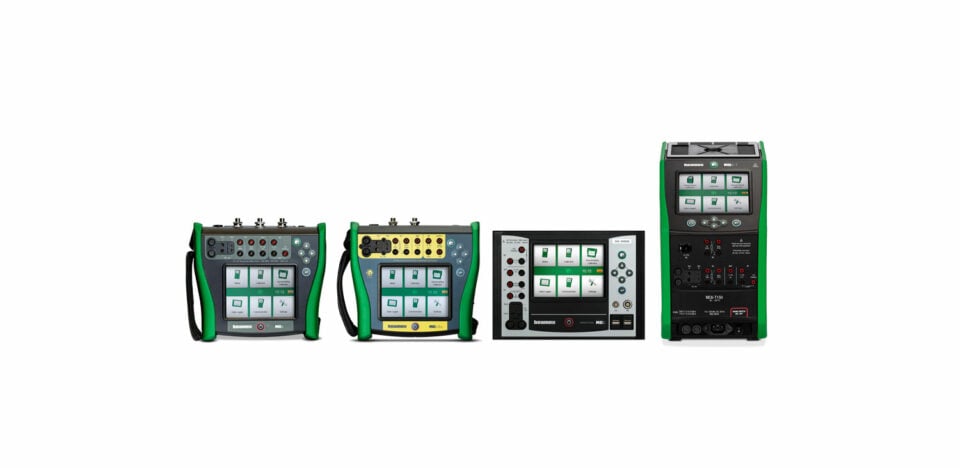
The Beamex MC6-T combines a state-of-the-art temperature dry block with built-in multifunction process calibrator and communicator technology. It offers versatility that no other temperature calibrator can match, providing calibration capabilities for temperature, pressure, and various electrical signals as well as a multi-bus communicator for fieldbus instruments.
**Features**
#### Superior metrological performance
The MC6-T provides superior metrological performance and accuracy for temperature and electrical calibrations. The active multizone (triple/dual) temperature control technology ensures an excellent temperature gradient. Each MC6-T is delivered with a traceable, accredited calibration certificate as standard as proof of its accuracy.
#### Stable and safe
The MC6-T uses advanced, patented methods for following stability, ensuring that only stable temperature readings are used even in demanding industrial environments or with fluctuating mains voltage. It also includes several patented safety features.
#### Advanced functionality
The MC6-T offers versatility that no other temperature calibrator can match, providing calibration capabilities for temperature, electrical signals, and even pressure. The MC6-T150 and MC6-T660 provide temperature range from -30 to 660 ⁰C and can perform fully automatic calibrations. Most measurement functions can be used with the rechargeable battery without mains voltage connected.
#### Field communicator
The MC6-T contains a multi-bus field communicator for HART, FOUNDATION Fieldbus, and Profibus PA protocols to calibrate, configure, and trim your smart instruments. All three protocols can be enabled simultaneously.
#### Digital data flow
The MC6-T is a documenting calibrator that communicates with Beamex calibration management software, enabling a fully digitalized calibration process.

**Capabilities**
#### Measurement, generation and simulation capabilities
- Temperature generation
- Pressure measurement (internal barometric and external pressure modules)
- Voltage measurement (±1 V and −1…60 VDC)
- Current measurement (±100 mA) (internal or external supply)
- Frequency measurement (0…50 kHz)
- Pulse counting (0…10 Mpulse)
- Switch state sensing (dry/wet switch)
- Built-in 24 VDC loop supply (low impedance, HART impedance or FF/PA impedance)
- Voltage generation ( ±1 V and −3…24 VDC)
- Current generation (0…55 mA) (active/passive, i.e. Internal or external supply)
- Resistance measurement, two simultaneous channels (0…4 kΩ)
- Resistance simulation (0…4 kΩ)
- RTD measurement, two simultaneous channels
- RTD simulation
- TC measurement, two simultaneous channels (universal connector/mini-plug)
- TC simulation
- Frequency generation (0…50 kHz)
- Pulse queue generation (0…10 Mpulse)
- HART communicator
- FOUNDATION Fieldbus communicator
- Profibus PA communicator
(Some functions are optional)
**Specifications**
#### General specifications
| FEATURE | VALUE |
|---|---|
| Dimensions | 322 mm x 180 mm x 298 mm (12,68″ x 7,09″ x 11,73″) |
| Weight | MC6-T150: 9.4 kg (20.7 lbs)
MC6-T660: 8.6 kg (18.96 lbs) |
| Display | 5.7” Diagonal 640 x 480 TFT LCD Module |
| Touch Panel | 5-wire resistive touch screen |
| Keyboard | Membrane keyboard |
| Backlight | LED backlight, adjustable brightness |
| Power requirements | 230 V ±10%, 50/60 Hz, 380 W (MC6-T150, 1560 W (MC6-T660)
115 V ±10%, 50/60 Hz, 380 W (MC6-T150), 1560 W (MC6-T660) |
| Fuse size (MC6-T660) | 230 V: T 8A 250V / 115 V: T 16A 250V |
| Fuse size (MC6-T150) | 230 V: T 3.15A 250V / 115 V: T 3.15A 250V |
| Max. input voltage | 30 V AC, 60 V DC |
| Operating temperature | 0 … 45 °C (32 … 113 °F) |
| Operating humidity | 0 … 90% R.H. non condensing |
| Storage temperature | -20 … 60 °C (-4 … 140 °F) |
| Computer interface | USB |
| Calibration certificate | Accredited calibration certificate |
| Warmup time | Specifications valid after a 5 minute warmup period |
| Battery type | Rechargeable lithium-ion polymer, 4300 mAh, 11.1 V |
| Charging time | Approximately 4 hours |
| Battery operation time | 10 … 16 hours |
| Battery operated functions | All functions except temperature control and R3 measurement |
| Safety | Directive 2014/35/EU, EN 61010-1:2010 + A1:2019 + AC:2019-04 |
| EMC | Directive 2014/30/EU, EN IEC 61326-1:2021 |
| RoHS compliance | RoHS II Directive 2011/65/EU, EN IEC 63000:2018 |
| Drop | EN 61010-1:2013 |
| Warranty | Warranty 3 years, 1 year for battery pack. |
#### Temperature specifications
| **FEATURE** | **MC6-T150** | **MC6-T660** |
|---|---|---|
| Temperature range at 23 °C (73 °F) | -30 … 150 °C (-22 … 302 °F) | 50 … 660 °C (122 … 1220 °F) |
| | | ±0.2 °C at 50 °C |
| Display uncertainty with internal reference 1) | ±0.15 °C | ±0.3 °C at 420 °C |
| | | ±0.5 °C at 660 °C |
| | | ±0.02 °C at 50 °C |
| Stability 2) | ±0.01 °C | ±0.03 °C at 420 °C |
| | | ±0.04 °C at 660 °C |
| | | ±0.05 °C at 50 °C |
| Axial uniformity at 40 mm | ±0.05 °C | ±0.25 °C at 420 °C |
| | | ±0.40 °C at 660 °C |
| | | ±0.10 °C at 50 °C |
| Axial uniformity at 60 mm | ±0.07 °C | ±0.40 °C at 420 °C |
| | | ±0.60 °C at 660 °C |
| Radial uniformity Difference between borings | | ±0.01 °C at 50 °C |
| | ±0.01 °C | ±0.05 °C at 420 °C |
| | | ±0.08 °C at 660 °C |
| Loading effect with internal reference sensor With 4 pcs 6 mm sensors | | ±0.02 °C at 50 °C |
| | ± 0.08 °C | ±0.08 °C at 420 °C |
| | | ±0.15 °C at 660 °C |
| Loading effect with external 6 mm reference sensor With 3 pcs 6 mm sensors | | ±0.01 °C at 50 °C |
| | ±0.005 °C | ±0.02 °C at 420 °C |
| | | ±0.03 °C at 660 °C |
| Hysteresis | ±0.03 °C | ±0.15 °C |
| Display resolution | 0.001 °C /°F / K | 0.001 °C /°F / K |
| Immersion depth | 150 mm (5.9 in) | 150 mm (5.9 in) |
| Insert outer dimensions | 30 mm (1.18 in) | 24.5 mm (0.96 in) |
| Heating time | 23 to 150 °C: 19 min | 50 to 660 °C: 15 min |
| | -30 to 150 °C: 23 min | |
| | 150 to 23 °C: 17 min | 660 to 50 °C: 35 min |
| Cooling time | 23 to -30 °C: 23 min | 660 to 100 °C: 25 min |
| | 150 to -30 °C: 37 min | |
| Stabilization time 3) | 5 to 10 min | 10 min |
[View brochure for full specifications](https://www.beamex.com/app/uploads/2024/06/mc6-t-brochure.pdf)
**Resources**
#### Find user manuals, brochures, declarations and more
[View all manuals and brochures in all languages >](https://www.beamex.com/manuals-and-brochures/)
 Brochure
### [Solutions for Calibration Excellence](https://www.beamex.com/app/uploads/2025/12/beamex-solutions-for-calibration-excellence.pdf)
Explore Beamex calibration solutions, including calibration management software, hardware and services.
 Download Center
### [MC6, MC6-T, MC6-Ex, and MC6-WS downloads](https://resources.beamex.com/mc6-family-download-page)
Download firmware and Device Description (DD) updates, and software tools.
 Brochure
### [Beamex MC6-T brochure](https://www.beamex.com/app/uploads/2024/06/mc6-t-brochure.pdf)
The Beamex MC6-T is an extremely versatile portable automated temperature calibration system. It combines a state-of-the-art temperature dry-block with Beamex MC6 multifunction process calibrator technology
 Declaration
### [MC6-T150 Multifunction Temperature Calibrator and Communicator (EU)](https://www.beamex.com/app/uploads/2023/03/mc6-t150-eu-declaration-signed.pdf)
 Declaration
### [MC6-T660 Multifunction Temperature Calibrator and Communicator (EU)](https://www.beamex.com/app/uploads/2023/03/mc6-t660-eu-declaration-signed.pdf)
 Declaration
### [MC6-T150 Multifunction Temperature Calibrator and Communicator (UKCA)](https://www.beamex.com/app/uploads/2022/10/mc6-t150-ukca-declaration-signed.pdf)
 Declaration
### [MC6-T660 Multifunction Temperature Calibrator and Communicator (UKCA)](https://www.beamex.com/app/uploads/2022/10/mc6-t660-ukca-declaration-signed.pdf)
 Manual
### [Beamex MC6-T manual](https://www.beamex.com/app/uploads/2026/06/mc6-t-user-manualeng.pdf)
Beamex MC6-T is an advanced, high-accuracy field calibrator and communicator. It offers calibration capabilities for temperature, various electrical signals as well as pressure
**Accessories**
#### Complementary products and accessories for Beamex MC6-T

### [MC6-T accessories](https://shop.beamex.com/all-products/?_bc_fsnf=1&Related+product%5B%5D=MC6-T150&Related+product%5B%5D=MC6-T660)
**[Read more >](https://shop.beamex.com/all-products/?_bc_fsnf=1&Related+product%5B%5D=MC6-T150&Related+product%5B%5D=MC6-T660)**
### [Temperature calibration accessories](https://shop.beamex.com/temperature-calibration/)
**[Read more >](https://shop.beamex.com/temperature-calibration/)**

### [Inserts](https://shop.beamex.com/temperature-accessories/inserts-for-temperature-blocks/) for MC6-T
**[Read more >](https://shop.beamex.com/temperature-calibration/inserts-for-mc6-t/)**
### [Temperature sensors](https://shop.beamex.com/temperature-calibration/temperature-sensors/)
**[Read more >](https://shop.beamex.com/temperature-calibration/temperature-sensors/)**
### [External pressure modules](https://shop.beamex.com/pressure-accessories/external-pressure-modules-ext/)
[**Read more >**](https://shop.beamex.com/pressure-accessories/external-pressure-modules-ext/)
## [MC6-T presentation](https://www.youtube.com/watch?v=lssU_b7gvsc)

## Ready for the field
The MC6-T is unique in terms of the functionality it provides in one device, meaning you have less to carry in the field.
The calibrator is designed to remain accurate even in varying environmental conditions or with fluctuating mains voltage.
The patented temperature control algorithm provides fast heating and cooling without overshoots, improving efficiency and saving time.
The MC6-T includes several unique safety features, such as a tilt sensor, warning light, and standalone overheat protection.
## A better way to calibrate
Temperature calibrations are quite slow by nature, but the MC6-T helps you calibrate more efficiently.
The extensive built-in process calibrator and advanced group calibration feature enable fully automatic documenting calibration of multiple temperature instruments simultaneously.
Even with automatic calibration, low calibration uncertainty is guaranteed since the MC6-T ensures that only stable temperature readings are used and the active multizone temperature control technology compensates for the heat loss caused by the temperature sensors installed in the insert.
As a truly multifunctional device, the MC6-T can also be used for accurate electrical and pressure calibrations.
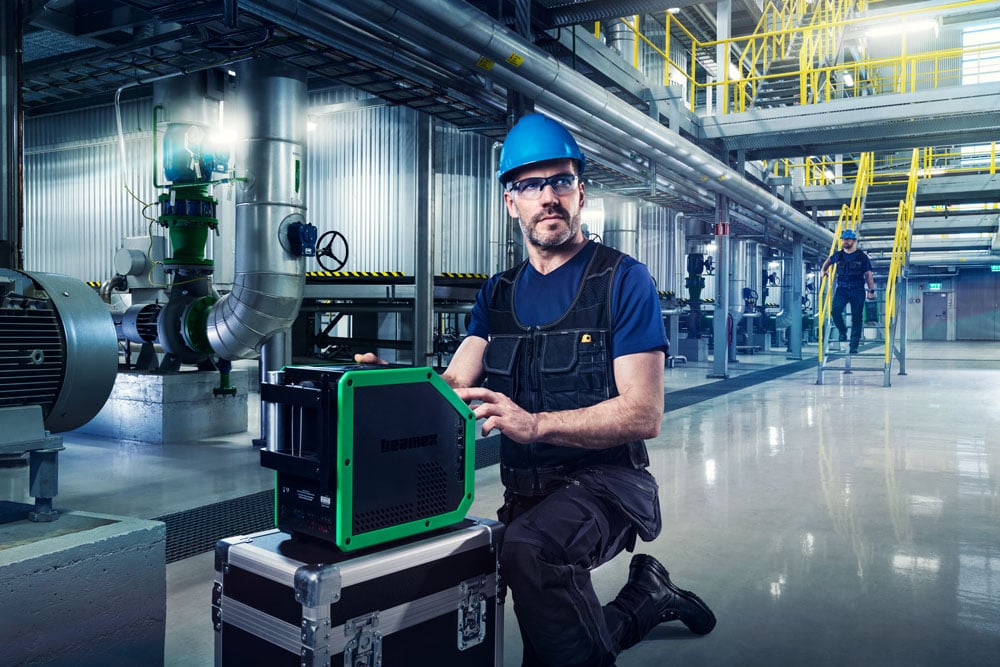
> It’s amazing to see when the probe is actually at the correct temp and stable before taking a measurement. No guessing and reduces human error. This would save money on probes that may have been tested too early and noted as failed due to its error not yet stabilizing in any other temperature block.

> The full built-in MC6 interface in the [Beamex MC6-T](https://www.beamex.com/calibrators/beamex-mc6-t/) is a useful feature. Being able to connect external pressure modules allows us to build different routes based on those temperatures and ranges while the other routes can be accomplished with the built-in modules.

## Digital data flow
The MC6-T is a documenting calibrator that digitally captures data at source and ensures a secure data flow between the calibrator and [Beamex LOGiCAL](https://www.beamex.com/calibration-software/logical/) or [CMX calibration management software.](https://www.beamex.com/calibration-software/cmx/)
As a communicator, it even enables digital communication with smart field instruments. The seamless data flow between products delivers efficiency and high-quality data.
Use calibration management software to manage what, how, and when to calibrate, and execute the calibration with the MC6-T according to your pre-configured calibration procedure – even fully automatically. Maintain the full calibration history in LOGiCAL or CMX.
This solution provides accurate measurements and traceable, reliable, and reusable data that can be used for analysis, reporting and calibration certificates.
## Sustainable by design
Sustainability is a core component of the [Beamex design philosophy](https://www.beamex.com/about-us/sustainability/). We want you to continue using your calibrators for many years, so they are designed to have a long service life and to be as easy as possible to repair, maintain, and upgrade.
Our world-leading experts can help you to get the most out of your calibrator throughout its entire lifecycle with calibration and repair services, training, and calibration consultancy.
To meet your changing needs, our products are constantly evolving. Firmware updates provide new features or performance improvements, and you can also upgrade your existing products with new modules or software functionalities. Accessories are quickly and easily available in the [Beamex webshop](https://shop.beamex.com/).

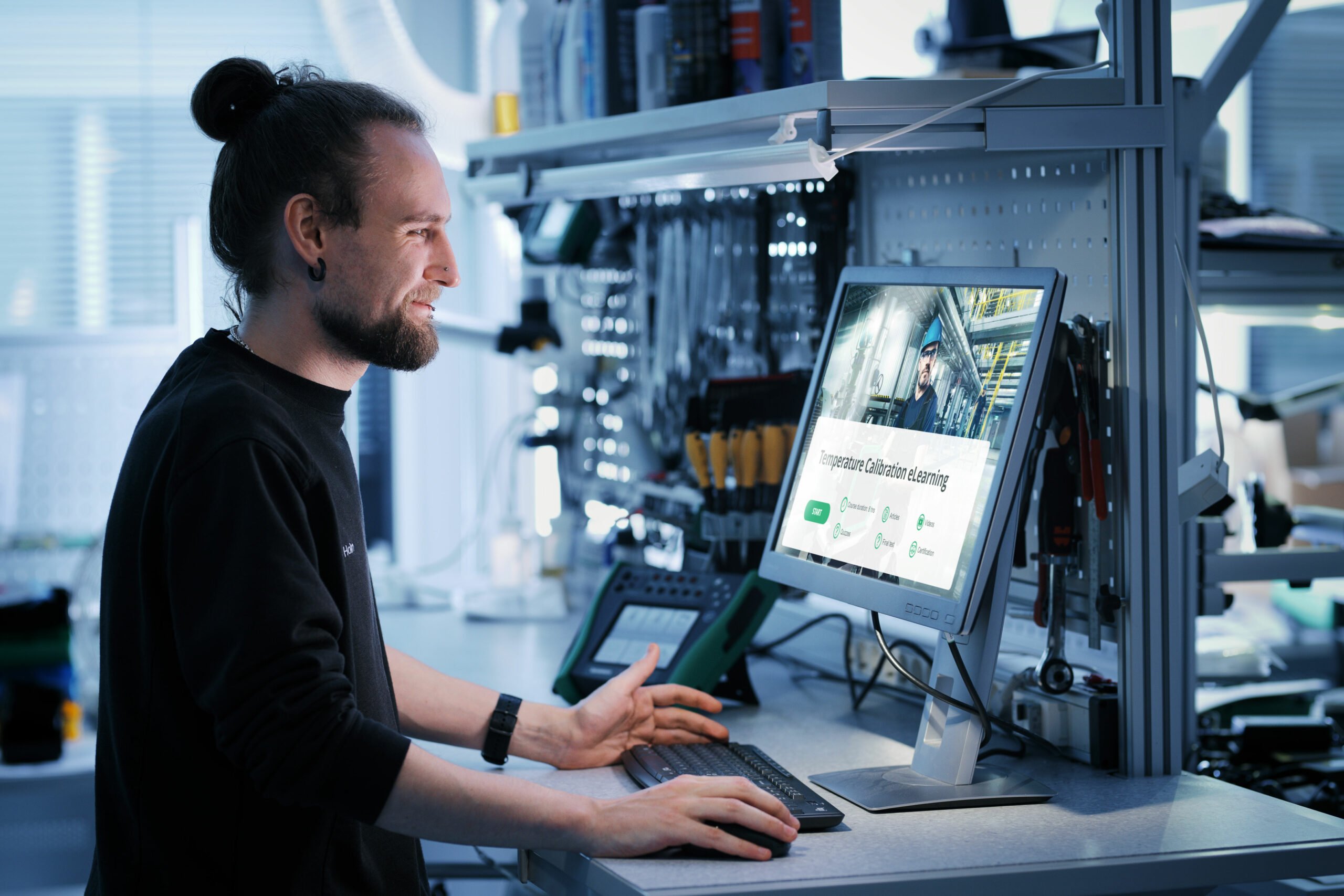
## eLearning Course: Industrial Temperature Calibration
Master temperature calibration with this free comprehensive course from Beamex. Deepen your knowledge, pass the quiz, and earn your certificate!
[Start learning](https://resources.beamex.com/beamex-elearning-master-industrial-temperature-calibration)

## Sanitary and short sensor calibration
The MC6-T150 is designed to accurately calibrate short and sanitary sensors, which is typically not possible with traditional temperature dry blocks.
The immersion depth of flanged sensors can be optimized with a dedicated insert and Beamex SIRT – a special short reference sensor with a flexible cable.
Learn more on [how to calibrate short and sanitary sensors](https://blog.beamex.com/sanitary-temperature-sensor-calibration).
## Available models
### MC6-T150
-30 … 150 °C
(-22 … 302 °F)
### MC6-T660
50 … 660 °C
(122 … 1220 °F)
[Download brochure](https://www.beamex.com/app/uploads/2024/06/mc6-t-brochure.pdf)
[Schedule a demo](https://resources.beamex.com/demo-request)
[Get pricing](https://resources.beamex.com/request-a-quotation)
## User interface modes
A calibrator should have advanced functionality yet remain easy to use, which is why the MC6-T offers several user interface modes that are optimized for different use cases. For example, the Temperature Calibrator mode is made for quick and easy temperature generation and measurement. If you want to perform automatic documented calibrations, use the Documenting Calibrator mode.
**Temperature Calibrator**

### Temperature Calibrator
The Temperature Calibrator mode is optimized for quick and easy usage of temperature generation and measurement.
The desired temperature can be quickly entered using the virtual numerical keyboard. The internal or external reference sensor can also be easily measured.
The temperature values can be displayed in numerical or graphical view.
Additional channels can be measured simultaneously.
**Documenting Calibrator**
#### Documenting Calibrator
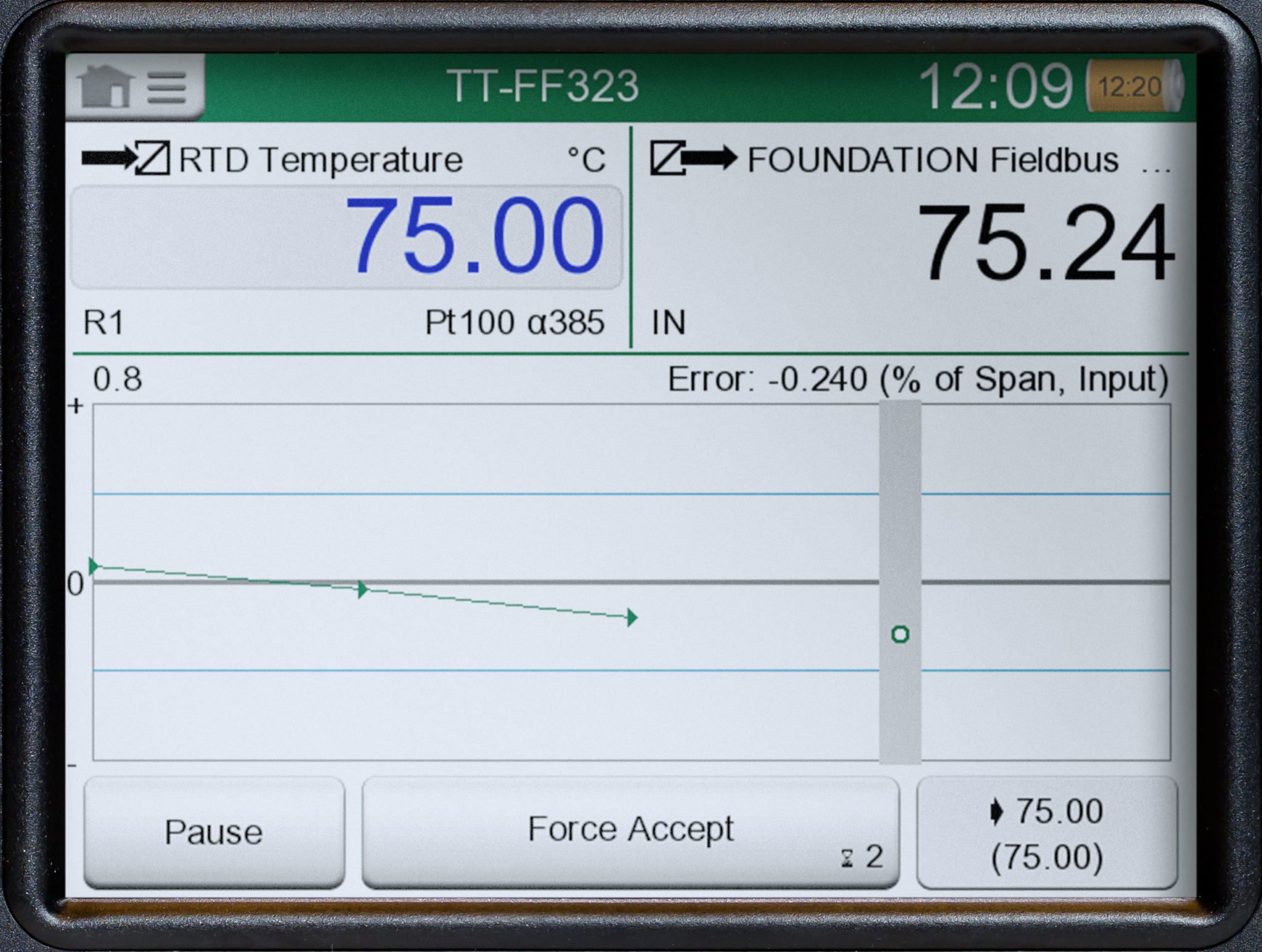
The Documenting Calibrator mode is designed for the documented and automated calibration of process instruments.
In today’s process plants, calibrations often have to be documented – without a documenting calibrator, this must be done manually, which takes a lot of precious time and is prone to errors.
With the Documenting Calibrator mode, the calibration process is guided, and the calibrator can automatically set the calibration points and document the results.
The Documenting Calibrator mode also works together with calibration management software.
**Calibrator**
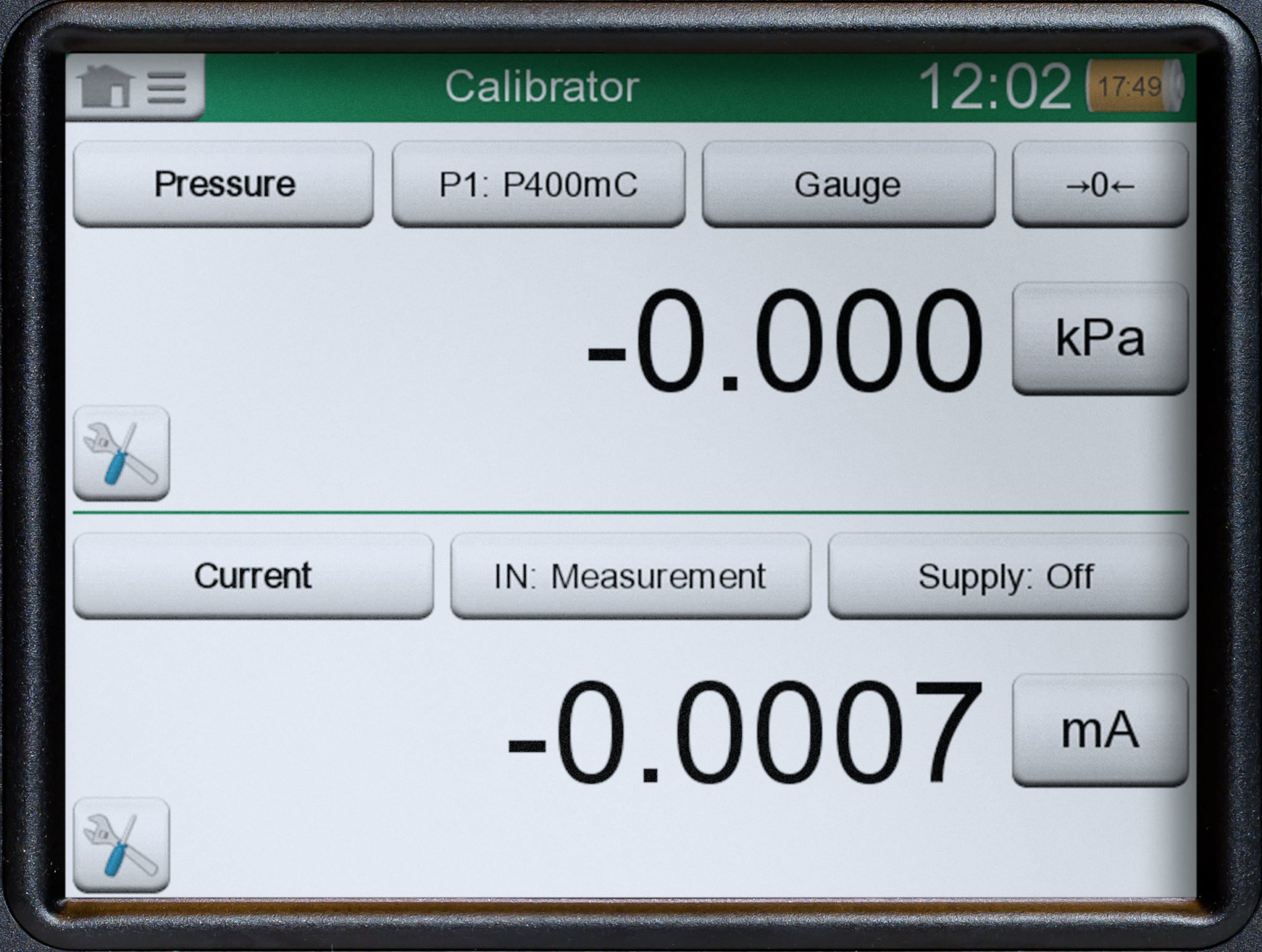
#### Calibrator
The Calibrator mode is designed for calibrating various process instruments. It enables you to measure or simulate two signals at a time.
Often you need to check and calibrate process instruments, which typically have an input and an output. This means you either need two devices, or a single device capable of doing two things simultaneously.
The Calibrator mode is optimized for this type of use.
**Data Logger**
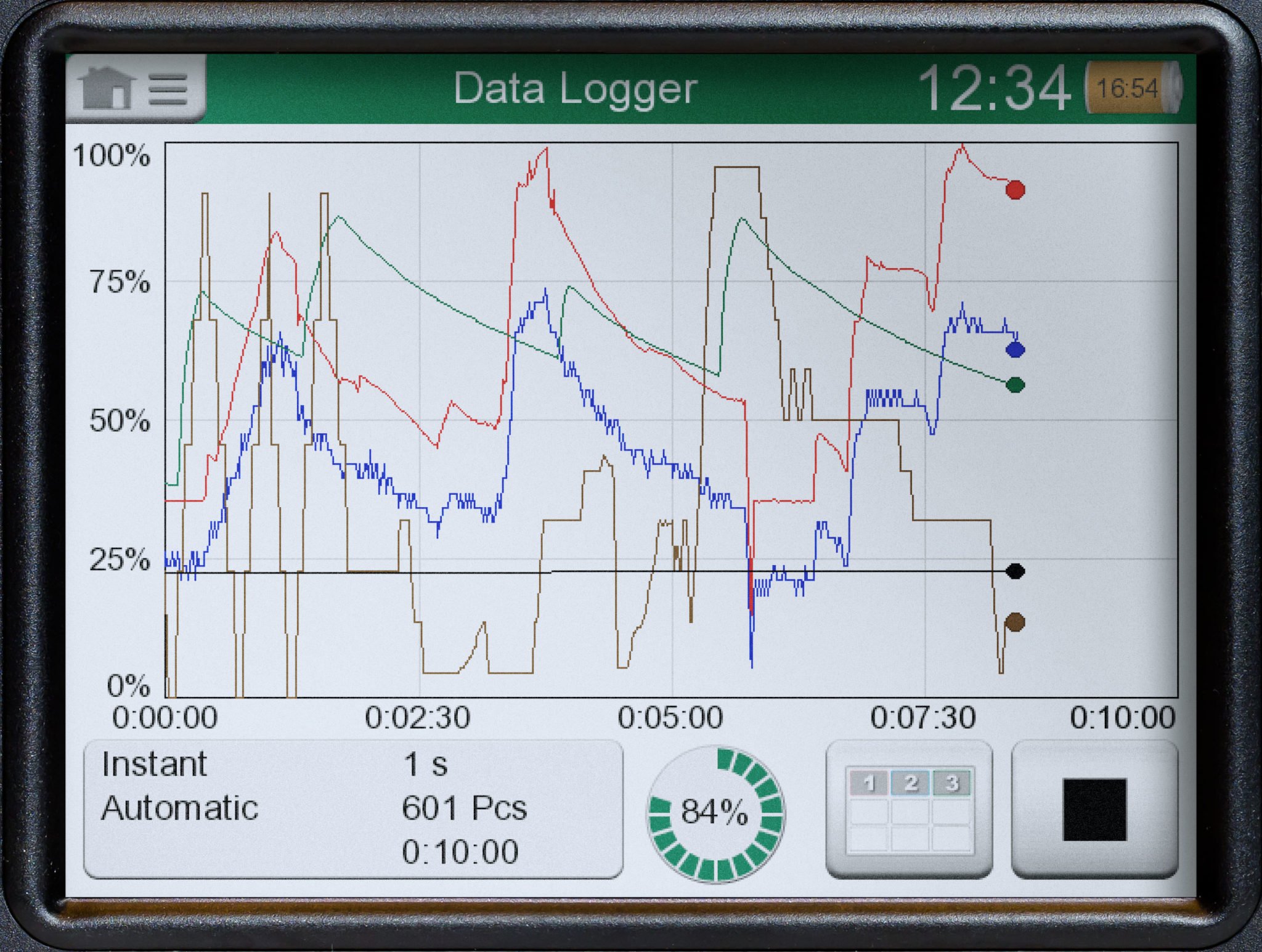
#### Data Logger
The Data Logger is designed for logging up to nine measurements simultaneously.
Often in industry, there is a need to measure signals for a certain period and to save the results for later analysis. This may be related to troubleshooting, surveillance, or calibration.
The data log results can be displayed in numerical or graphical view, and results can be transferred to a PC for further analysis.
The Data Logger mode is optimized for this type of use.
**Communicator**
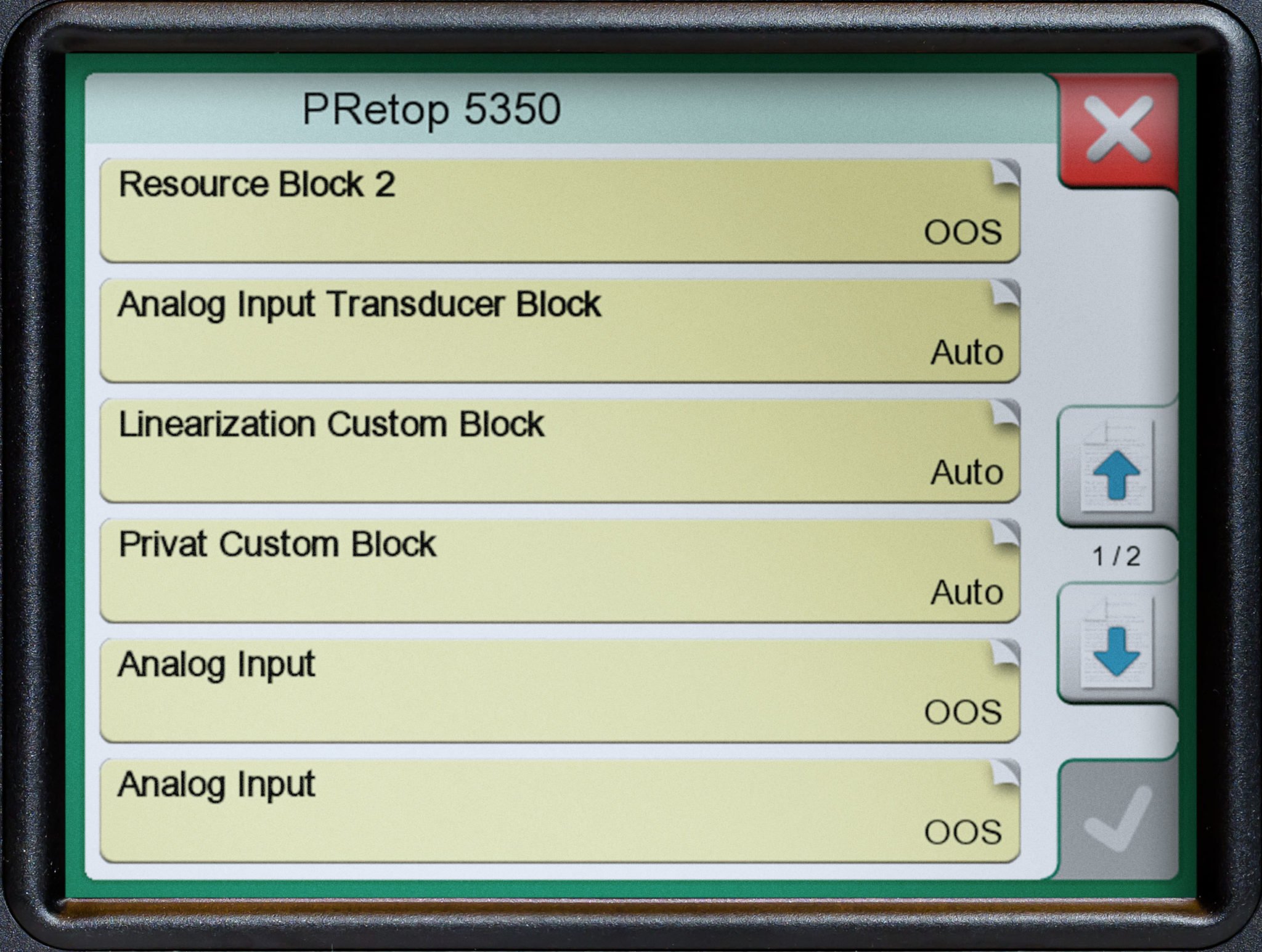
#### Communicator
The Communicator mode is designed to communicate with fieldbus instruments.
In today’s process plants, smart instrumentation is being used to an increasing degree, so engineers need to use communicators or configuration software. Most of this instrumentation is HART, FOUNDATION Fieldbus, or Profibus PA.
The Communicator mode is optimized for communicator use to calibrate, configure, and trim your smart instruments.
## Educational temperature calibration videos
Video
### [How to calibrate a temperature sensor and transmitter with a HART output](https://www.beamex.com/videos/how-to-calibrate-a-temperature-sensor-and-transmitter/)
In this video, we will show you how to calibrate a temperature sensor and transmitter with a HART output.
Video
### [How to calibrate a duplex temperature sensor](https://www.beamex.com/videos/how-to-calibrate-a-duplex-temperature-sensor/)
What is needed to calibrate a duplex temperature sensor automatically?
Video
### [How to calibrate two Pt100 sensors simultaneously and automatically](https://www.beamex.com/videos/how-to-calibrate-two-pt100-sensors-simultaneously-and-automatically/)
Did you know that the MC6-T have a unique feature called group calibration which allows to calibrate 3 PCS RTD sensors simultaneously?
Video
### [How to calibrate a temperature switch automatically](https://www.beamex.com/videos/how-to-calibrate-a-temperature-switch-automatically/)
Temperature switches are commonly used in various industrial applications to control specific functions. As with any measuring instrument, they need to be calibrated regularly to ensure they are working accurately and reliably.
 Video
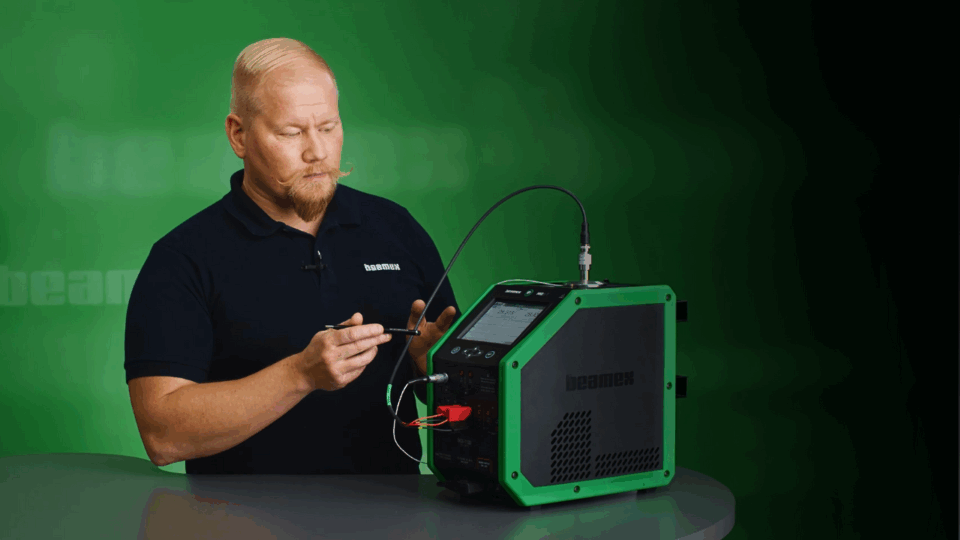
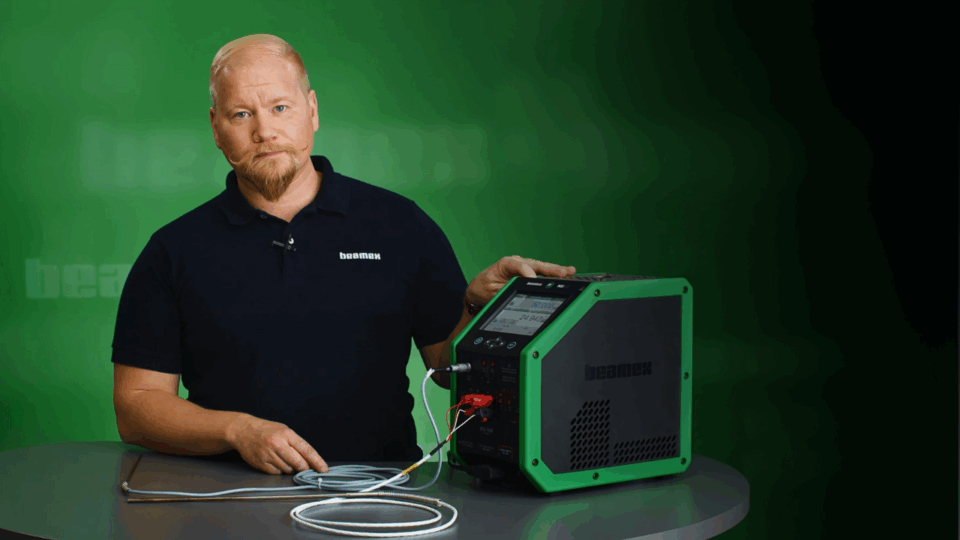
### [How to calibrate a sanitary temperature sensor with Beamex MC6-T](https://www.beamex.com/videos/how-to-calibrate-a-sanitary-temperature-sensor-video/)
The calibration of sanitary sensors is different than calibrating normal temperature sensors. In this video, we will show you how to calibrate a short sanitary temperature sensor automatically.
 Video
### [How to calibrate a Pt100 temperature sensor with Beamex MC6-T](https://www.beamex.com/videos/how-to-calibrate-a-pt100-temperature-sensor-video/)
Temperature measurement is one of the most common measurements in the process industry and the Pt100 temperature sensors are very common sensors. Every temperature measurement loop has a temperature sensor as the first component in the loop.
 Video
### [Introducing Beamex MC6-T Temperature Calibrator](https://www.beamex.com/videos/introducing-beamex-mc6-t-temperature-calibrator-video/)
The MC6-T is made for industrial environments and is designed to minimize the effects of varying environmental conditions. Also, it is designed to eliminate the effects of any fluctuations in the AC mains power voltage.
 Video
### [Beamex MC6-T Multifunction Temperature Calibrator and Communicator](https://www.beamex.com/videos/beamex-mc6-t-temperature-calibrator-video/)
With the ability to generate temperature as well as to measure and simulate temperature and electrical signals, the Beamex MC6-T offers a really unique combination of functionality.
Video
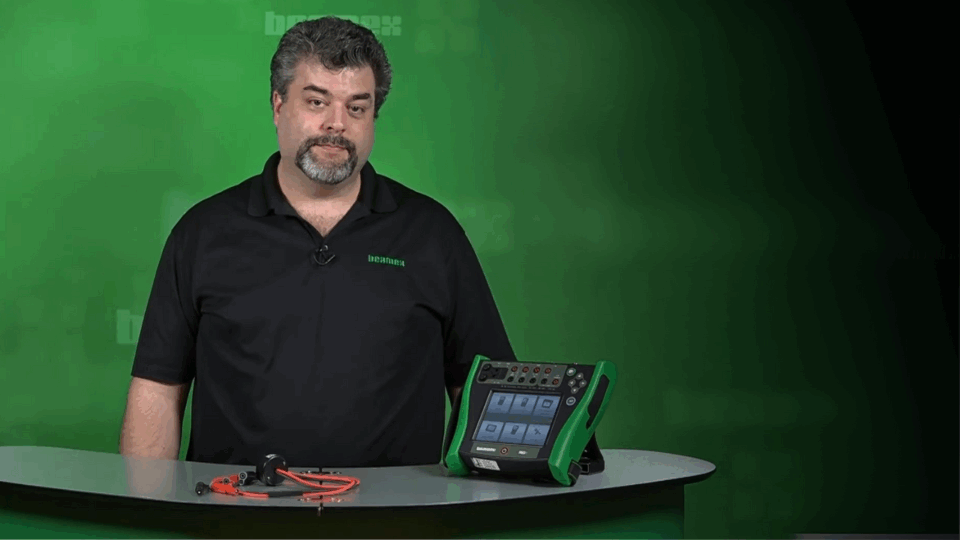
### [How to calibrate RTD temperature transmitters](https://www.beamex.com/videos/how-to-calibrate-rtd-temperature-transmitters-video/)
How to calibrate and trim a HART RTD transmitter using a temperature calibrator.
 Video
### [Temperature loop calibration and trim with the Beamex MC6](https://www.beamex.com/videos/temperature-loop-calibration-and-trim-with-the-beamex-mc6-video/)
How to automatically calibrate and trim a HART temperature transmitter using the Beamex MC6 calibrator and CMX calibration management software.
Video
### [How to calibrate a Foundation Fieldbus temperature loop](https://www.beamex.com/videos/how-to-calibrate-a-foundation-fieldbus-temperature-loop-video/)
How to calibrate a temperature measurement loop with FOUNDATION Fieldbus transmitter, local display and DCS display using the Beamex MC6 calibrator and Beamex FB temperature block.
Video
### [How to calibrate a Foundation Fieldbus temperature transmitter](https://www.beamex.com/videos/how-to-calibrate-a-foundation-fieldbus-temperature-transmitter-video/)
How to automatically calibrate a FOUNDATION Fieldbus temperature loop consisting of a temperature element and temperature transmitter with sensor using Beamex MC6 calibrator and Beamex FB150 temperature block.
Video
### [How to calibrate an analog temperature loop](https://www.beamex.com/videos/how-to-calibrate-an-analog-temperature-loop-video/)
How to calibrate a temperature measurement loop with analog transmitter, local display and DCS display using the Beamex MC6 calibrator and Beamex FB 150 temperature dry block.
Video
### [How to calibrate two temperature sensors simultaneously](https://www.beamex.com/videos/how-to-calibrate-two-temperature-sensors-simultaneously-video/)
How to use the Beamex MC6 advanced field calibrator and communicator to automatically calibrate two different temperature sensors using two separate temperature blocks.
Video
### [How to calibrate a multichannel Fieldbus transmitter](https://www.beamex.com/videos/how-to-calibrate-a-multichannel-fieldbus-transmitter-video/)
How to automatically calibrate a FOUNDATION Fieldbus multi-channel temperature transmitter using the Beamex MC6 and Beamex FB temperature dry block.
Video
### [How to calibrate WirelessHART transmitter](https://www.beamex.com/videos/how-to-calibrate-wirelesshart-transmitter-video/)
How to automatically calibrate a WirelessHART temperature transmitter using the Beamex MC6.
## Related products and services
### [Calibration software](https://www.beamex.com/calibration-software/)
Calibration management software enables automated digital data flow, when used together with Beamex documenting calibrators.
**[Learn more >](https://www.beamex.com/calibration-software/)**
### [Temperature sensors](https://www.beamex.com/calibrators/temperature-sensors/)
Find temperature sensors to be used with the MC6-T.
**[Learn more >](https://www.beamex.com/calibrators/temperature-sensors/)**

### [Services](https://www.beamex.com/services/)
Keep your calibrator operating and traceable through its life-cycle with calibration and service plans.
**[Learn more >](https://www.beamex.com/services/)**
## Discover related content
 Blog
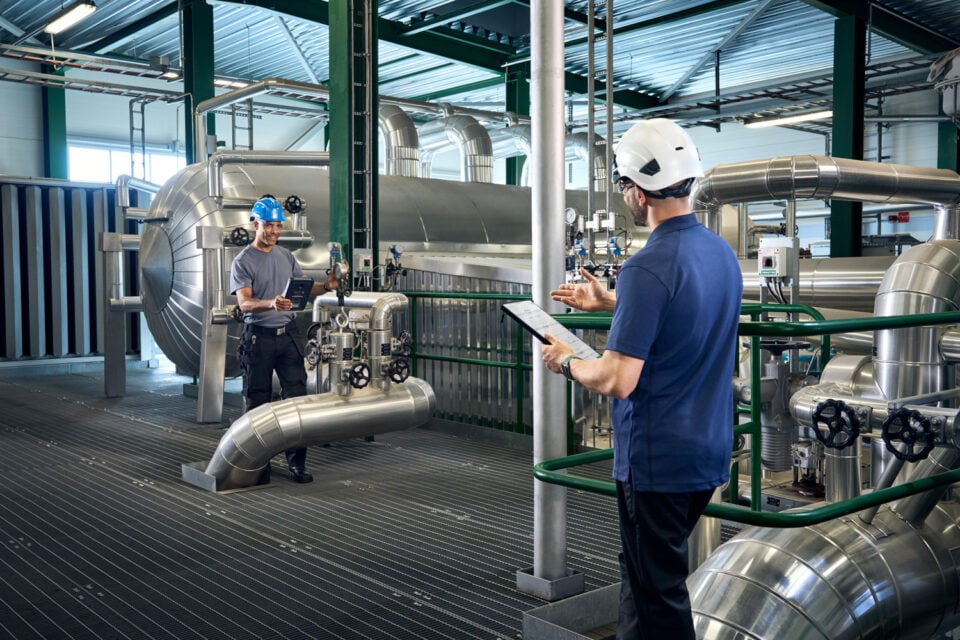
### [Loop Calibration vs. Instrument Calibration](https://blog.beamex.com/loop-calibration-vs-instrument-calibration)
Learn the difference between loop calibration and instrument calibration, when to use each approach, and how to combine them for accurate, traceable measurements.
 White paper
### [Loop calibration or instrument calibration?](https://resources.beamex.com/loop-calibration-vs-instrument-calibration)
Download a practical guide to loop calibration and instrument calibration. Learn when each approach fits and how to improve accuracy, efficiency, and traceability.
 Blog
### [Footprinting in Differential Pressure Transmitter Calibration](https://blog.beamex.com/footprinting-in-differential-pressure-transmitter-calibration)
Learn how static line pressure affects differential pressure transmitters and how footprinting helps ensure accurate field calibration.
Blog
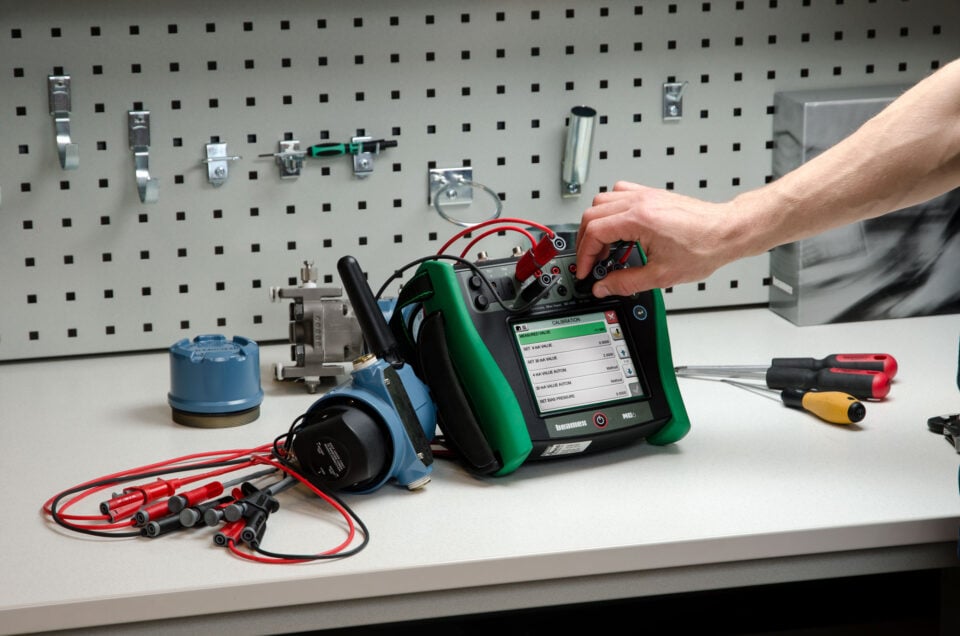
### [Comparing Multifunction and Single-Function Process Calibrators](https://blog.beamex.com/comparing-multifunction-and-single-function-process-calibrators)
Learn the pros and cons of multifunction vs. single-function process calibrators, and discover which is best for your calibration needs.
 Blog
### [HART Communicator vs. HART Calibrator: Understanding the Key Differences](https://blog.beamex.com/hart-communicator-vs-hart-calibrator-understanding-the-key-differences)
Learn the differences of HART Communicator and HART Calibrator.
White paper
### [HART Communicator vs. HART Calibrator – The Key Differences](https://resources.beamex.com/lp-hart-communicator-vs-hart-calibrator)
Discover the Key Differences Between HART Communicators and HART Calibrators
Blog
### [How to get your boss to buy you a new calibrator](https://blog.beamex.com/how-to-get-your-boss-to-buy-you-a-new-calibrator)
In this blog, we look at how you can talk to your boss to convince them to get a new calibrator.
Blog
### [Calibrating a square rooting pressure transmitter](https://blog.beamex.com/2015/12/10/calibrating-a-square-rooting-pressure-transmitter)
Why does the calibration fail too easily at the zero point when calibrating a square rooting pressure transmitter?
 Blog
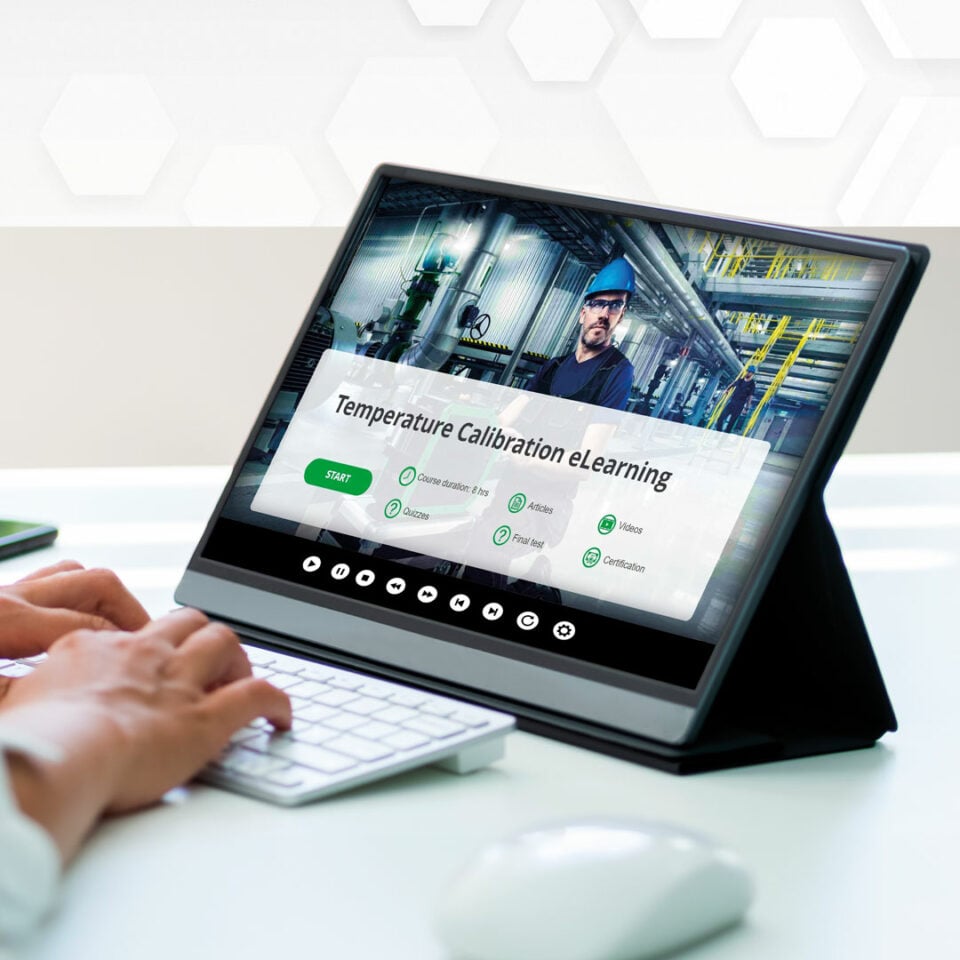
### [Industrial Temperature Calibration Course \[eLearning\]](https://blog.beamex.com/temperature-calibration-course)
Learn about industrial temperature calibration without attending in-person calibration classes.
 Video
### [Using the Spinner tool from a documenting calibration procedure](https://www.beamex.com/videos/using-the-spinner-tool-from-a-documenting-calibration-procedure/)
Did you know that you can access the spinner tool from within the Documenting Calibrator mode in your MC6, allowing you to slowly increase the temperature until an alarm is detected?
Blog
### [Working workshop wonders with Endress+Hauser \[Case Story\]](https://blog.beamex.com/working-workshop-wonders-with-endresshausercase-story)
A customized Beamex solution including hardware and software sits at the heart of Endress+Hauser’s state-of-the-art Customer Experience Centre in Ontario. In this short blog we explore the critical role Beamex solutions are playing as part of the center’s full-service calibration laboratory.
White paper
### [Understanding Pressure Calibrator Accuracy Specifications](https://resources.beamex.com/lp-understanding-pressure-calibrator-accuracy-specifications)
Comparing the accuracy specifications of pressure calibrators can be a challenging task because different manufacturers specify accuracy in different ways.
Blog
### [Understanding Pressure Calibrator Accuracy Specifications](https://blog.beamex.com/understanding-pressure-calibrator-accuracy-specifications)
Comparing the accuracy specifications of pressure calibrators can be a challenging task because different manufacturers specify accuracy in different ways.
Blog
### [Pressure calibration basics – Pressure types](https://blog.beamex.com/pressure-calibration-basics-pressure-types)
In everyday situations, we don’t usually talk much about different pressure types, but what different types are available?
eBook
### [Calibration Essentials: Software](https://resources.beamex.com/en/calibration-essentials-software)
This Calibration Essentials Software eBook contains 67 pages of guidance and insights into how calibration software can assist you in implementing best practices.
Video
### [How to calibrate a temperature sensor and transmitter with a HART output](https://www.beamex.com/videos/how-to-calibrate-a-temperature-sensor-and-transmitter/)
In this video, we will show you how to calibrate a temperature sensor and transmitter with a HART output.
White paper
### [How to calibrate a temperature switch](https://resources.beamex.com/lp-how-to-calibrate-a-temperature-switch?_gl=1%2A13efqbg%2A_ga%2AMzYzMzI4NzMxLjE2NDkwNzUxMjI.%2A_ga_DFQ48QBW49%2AMTY1NjMxNjcyOC41LjEuMTY1NjMxNzQyMi4w)
Temperature switches are commonly used in various industrial applications to control specific functions and they need to be calibrated regularly to ensure they are working accurately and reliably.
Video
### [How to calibrate a duplex temperature sensor](https://www.beamex.com/videos/how-to-calibrate-a-duplex-temperature-sensor/)
What is needed to calibrate a duplex temperature sensor automatically?
eBook
### [Calibration Essentials: Temperature](https://resources.beamex.com/lp-calibration-essentials-temperature)
In 53 detailed pages, this book explains strategies and tactics for calibrating temperature instrumentation.
Blog
### [How to choose a calibration laboratory – 13 things to consider](https://blog.beamex.com/how-to-choose-calibration-laboratory)
What things do you need to consider when choosing a calibration laboratory for your calibrator or reference standard?
Video
### [How to calibrate two Pt100 sensors simultaneously and automatically](https://www.beamex.com/videos/how-to-calibrate-two-pt100-sensors-simultaneously-and-automatically/)
Did you know that the MC6-T have a unique feature called group calibration which allows to calibrate 3 PCS RTD sensors simultaneously?
Video
### [How to calibrate a temperature switch automatically](https://www.beamex.com/videos/how-to-calibrate-a-temperature-switch-automatically/)
Temperature switches are commonly used in various industrial applications to control specific functions. As with any measuring instrument, they need to be calibrated regularly to ensure they are working accurately and reliably.
 Video
### [How to calibrate a sanitary temperature sensor with Beamex MC6-T](https://www.beamex.com/videos/how-to-calibrate-a-sanitary-temperature-sensor-video/)
The calibration of sanitary sensors is different than calibrating normal temperature sensors. In this video, we will show you how to calibrate a short sanitary temperature sensor automatically.
 Video
### [How to calibrate a Pt100 temperature sensor with Beamex MC6-T](https://www.beamex.com/videos/how-to-calibrate-a-pt100-temperature-sensor-video/)
Temperature measurement is one of the most common measurements in the process industry and the Pt100 temperature sensors are very common sensors. Every temperature measurement loop has a temperature sensor as the first component in the loop.
```json
{"@context":"https://schema.org","@graph":[{"@type":"WebPage","@id":"https://www.beamex.com/calibrators/beamex-mc6-t/","url":"https://www.beamex.com/calibrators/beamex-mc6-t/","name":"MC6-T Multifunction Temperature Calibrator and Communicator | Beamex","isPartOf":{"@id":"https://www.beamex.com/#website"},"primaryImageOfPage":{"@id":"https://www.beamex.com/calibrators/beamex-mc6-t/#primaryimage"},"image":{"@id":"https://www.beamex.com/calibrators/beamex-mc6-t/#primaryimage"},"thumbnailUrl":"https://www.beamex.com/app/uploads/2022/11/mc6-t150-facing-left-v1.png","datePublished":"2022-06-28T09:33:56+00:00","dateModified":"2026-05-28T09:34:33+00:00","description":"The MC6-T combines a state-of-the-art temperature dry block with a built-in multifunction process calibrator and communicator technology.","breadcrumb":{"@id":"https://www.beamex.com/calibrators/beamex-mc6-t/#breadcrumb"},"inLanguage":"en-GB","potentialAction":[{"@type":"ReadAction","target":["https://www.beamex.com/calibrators/beamex-mc6-t/"]}]},{"@type":"ImageObject","inLanguage":"en-GB","@id":"https://www.beamex.com/calibrators/beamex-mc6-t/#primaryimage","url":"https://www.beamex.com/app/uploads/2022/11/mc6-t150-facing-left-v1.png","contentUrl":"https://www.beamex.com/app/uploads/2022/11/mc6-t150-facing-left-v1.png","width":986,"height":1000,"caption":"Beamex MC6-T advanced temperature calibrator and communicator"},{"@type":"BreadcrumbList","@id":"https://www.beamex.com/calibrators/beamex-mc6-t/#breadcrumb","itemListElement":[{"@type":"ListItem","position":1,"name":"Home","item":"https://www.beamex.com/"},{"@type":"ListItem","position":2,"name":"Calibrators","item":"https://www.beamex.com/calibrators/"},{"@type":"ListItem","position":3,"name":"Beamex MC6-T"}]},{"@type":"WebSite","@id":"https://www.beamex.com/#website","url":"https://www.beamex.com/","name":"Beamex","description":"Calibration solutions, calibrators, software and services | Beamex","publisher":{"@id":"https://www.beamex.com/#organization"},"potentialAction":[{"@type":"SearchAction","target":{"@type":"EntryPoint","urlTemplate":"https://www.beamex.com/?s={search_term_string}"},"query-input":{"@type":"PropertyValueSpecification","valueRequired":true,"valueName":"search_term_string"}}],"inLanguage":"en-GB"},{"@type":"Organization","@id":"https://www.beamex.com/#organization","name":"Beamex","url":"https://www.beamex.com/","logo":{"@type":"ImageObject","inLanguage":"en-GB","@id":"https://www.beamex.com/#/schema/logo/image/","url":"https://www.beamex.com/app/uploads/2022/06/beamex-logo.svg","contentUrl":"https://www.beamex.com/app/uploads/2022/06/beamex-logo.svg","width":358,"height":62,"caption":"Beamex"},"image":{"@id":"https://www.beamex.com/#/schema/logo/image/"},"legalName":"Beamex Oy Ab","foundingDate":"1975","description":"Beamex is your trusted partner for calibration excellence, providing accurate measurements, reliable data, and traceability for a safer and less uncertain world.","telephone":"+358 10 550 5000","address":{"@type":"PostalAddress","streetAddress":"Ristisuonraitti 10","postalCode":"68600","addressLocality":"Pietarsaari","addressCountry":"FI"},"sameAs":["https://www.instagram.com/beamexcalibration","https://www.facebook.com/BeamexCalibration","https://www.linkedin.com/company/beamex/","https://blog.beamex.com/","https://www.youtube.com/BeamexCalibration","https://twitter.com/beamexglobal","https://www.crunchbase.com/organization/beamex"],"subOrganization":[{"@id":"https://www.beamex.com/#org-de"},{"@id":"https://www.beamex.com/#org-fr"},{"@id":"https://www.beamex.com/#org-uk"},{"@id":"https://www.beamex.com/#org-us"},{"@id":"https://www.beamex.com/#org-se"},{"@id":"https://www.beamex.com/#org-nl"},{"@id":"https://www.beamex.com/#org-ca"},{"@id":"https://www.beamex.com/#org-cn"}]},{"@type":"Organization","@id":"https://www.beamex.com/#org-de","parentOrganization":{"@id":"https://www.beamex.com/#organization"},"name":"Beamex GmbH","telephone":"+49 2161 62115 0","faxNumber":"+49 2161 62115 99","address":{"@type":"PostalAddress","streetAddress":"Am Nordpark 1","postalCode":"41069","addressLocality":"Mönchengladbach","addressCountry":"DE"}},{"@type":"Organization","@id":"https://www.beamex.com/#org-fr","parentOrganization":{"@id":"https://www.beamex.com/#organization"},"name":"Beamex S.A.S.","telephone":"+33 3 20 04 57 62","address":{"@type":"PostalAddress","streetAddress":"270 Avenue de la République","postalCode":"59110","addressLocality":"La Madeleine","addressCountry":"FR"}},{"@type":"Organization","@id":"https://www.beamex.com/#org-uk","parentOrganization":{"@id":"https://www.beamex.com/#organization"},"name":"Beamex Limited","telephone":"+44 1455 821 920","address":{"@type":"PostalAddress","streetAddress":"Unit 1, Interchange 21, Centre Court","postalCode":"LE19 1WR","addressLocality":"Leicester","addressCountry":"GB"}},{"@type":"Organization","@id":"https://www.beamex.com/#org-us","parentOrganization":{"@id":"https://www.beamex.com/#organization"},"name":"Beamex, Inc.","telephone":"+1 770 951 1927","contactPoint":[{"@type":"ContactPoint","telephone":"+1 800 888 9892","contactType":"customer service","areaServed":"US"}],"address":{"@type":"PostalAddress","streetAddress":"2018 Powers Ferry Road SE, Suite 100","postalCode":"30339","addressLocality":"Atlanta","addressRegion":"GA","addressCountry":"US"}},{"@type":"Organization","@id":"https://www.beamex.com/#org-se","parentOrganization":{"@id":"https://www.beamex.com/#organization"},"name":"Beamex Calibration Solutions AB","telephone":"+46 70 140 54 10","contactPoint":[{"@type":"ContactPoint","telephone":"+46 72 198 03 23","contactType":"sales","areaServed":"Götaland"},{"@type":"ContactPoint","telephone":"+46 70 140 54 10","contactType":"sales","areaServed":"Svealand"},{"@type":"ContactPoint","telephone":"+46 72 198 03 20","contactType":"sales","areaServed":"Norrland"}],"address":{"@type":"PostalAddress","postOfficeBoxNumber":"24103","postalCode":"104 51","addressLocality":"Stockholm","addressCountry":"SE"}},{"@type":"Organization","@id":"https://www.beamex.com/#org-nl","parentOrganization":{"@id":"https://www.beamex.com/#organization"},"name":"Beamex B.V.","telephone":"+31 76 799 8606","address":{"@type":"PostalAddress","streetAddress":"Lage Mosten 49-63","postalCode":"4822 NK","addressLocality":"Breda","addressCountry":"NL"}},{"@type":"Organization","@id":"https://www.beamex.com/#org-ca","parentOrganization":{"@id":"https://www.beamex.com/#organization"},"name":"Beamex Calibration Solutions Ltd.","telephone":"+1 289 424 2639","address":{"@type":"PostalAddress","streetAddress":"2425 Matheson Boulevard East, 8th Floor, Unit 909","postalCode":"L4W 5K4","addressLocality":"Mississauga","addressRegion":"ON","addressCountry":"CA"}},{"@type":"Organization","@id":"https://www.beamex.com/#org-cn","parentOrganization":{"@id":"https://www.beamex.com/#organization"},"name":"Beamex Measurement Technology (Shanghai) Co., Ltd.","telephone":"+86 4000 888 980","faxNumber":"+86 21 6104 1418","address":{"@type":"PostalAddress","streetAddress":"Rm 401, #2 Bldg, 690 Bi Bo Road, Zhangjiang Hi-Tech Park","postalCode":"201203","addressLocality":"Shanghai","addressCountry":"CN"}}]}
```