---
title: "Beamex CMX"
description: "Beamex CMX Calibration Management Software helps you plan and manage calibration work and assets safely and efficiently, even in highly regulated industries. Spend less time and money on calibration, and deliver compliance."
image: "https://www.beamex.com/app/uploads/2016/06/Calibrations-under-control-v1-scaled-1-e1662375845512.jpg"
url: "https://www.beamex.com/calibration-software/cmx/"
language: "en-GB"
translations: {"en-US":"https://www.beamex.com/us/calibration-software/cmx/md/","pt-PT":"https://www.beamex.com/pt/software-de-calibracao/beamex-cmx/md/","zh-CN":"https://www.beamex.cn/jiaozhunruanjian/cmx/md/","nl-NL":"https://www.beamex.com/nl/kalibratiesoftware/cmx/md/","fi":"https://www.beamex.com/fi/kalibrointiohjelmisto/cmx/md/","sv-SE":"https://www.beamex.com/sv/kalibreringsmjukvara/cmx/md/","it-IT":"https://www.beamex.com/it/software-di-taratura/cmx/md/","es-ES":"https://www.beamex.com/es/software-de-calibracion/cmx/md/","de-DE":"https://www.beamex.com/de/kalibriersoftware/cmx/md/","fr-FR":"https://www.beamex.com/fr/logiciel-de-metrologie-industrielle/cmx/md/"}
modified: "2026-11-10T13:15:03+00:00"
---
# Beamex CMX
Calibration Management Software
[Download the Beamex brochure](https://www.beamex.com/app/uploads/2025/12/beamex-solutions-for-calibration-excellence.pdf)
[Schedule a free demo](https://resources.beamex.com/demo-request)
[Book a consultation](https://resources.beamex.com/expert-request)
[Home](https://www.beamex.com/) » [Calibration Software](https://www.beamex.com/calibration-software/) » Beamex CMX
## All-in-one calibration solution
Beamex CMX Calibration Management Software helps you to manage your instrumentation assets safely and to plan and execute calibrations efficiently, even in highly regulated industries. All calibration results are permanently stored to maintain a full calibration history, and data is easily available for analysis and reporting, as well as for generating calibration certificates.
**Main features**
#### Instrument and reference management
CMX gives you the tools to manage your calibration assets efficiently. Organize instruments according to your plant structure and create standardized calibration procedures using predefined function templates. Manage your reference equipment with calibration intervals and uncertainty specifications.
CMX also saves time and improves data quality with Excel-based bulk import, export, and update capabilities through Data Loader for both instruments, references and user accounts.
#### Role-based access control
You can set up authentication and require passwords for users. User-group permissions ensure that only authorized users can access the system to perform defined operations.
#### Digital data flow
CMX communicates seamlessly with Beamex documenting calibrators and the Beamex bMobile Calibration Application, enabling you to execute and document calibrations automatically.
#### Guided calibration process
CMX and supported mobile solutions guide your workers throughout the entire calibration execution process to ensure that all calibrations are performed according to predefined procedures and methods.
#### Uncertainty calculation
CMX calculates the combined expanded uncertainty for each calibration point in your calibration results. With MC6 family calibrators, uncertainty is visible graphically and numerically during calibration in the field.
#### Full calibration history
Calibration data is permanently stored and available for analysis, reporting, and audits as, well as for generating calibration certificates.
**Advancedfeatures**
#### Regulatory compliance management
With CMX you can track all changes made to your calibration database. CMX fulfills the requirements of 21 CFR Part 11 and other relevant regulations for electronic records, electronic signatures, and data integrity. You can also build your own automatic result validation rules instead of relying only on predefined ones. Rules flag results for second approval against your own thresholds and alert designated approvers, and they can be rolled out one site at a time.
#### Control over calibration execution
Patented Beamex Mobile Security Plus technology ensures calibration data integrity even when executing calibrations offline with supported mobile solutions. CMX can control the entire calibration execution process. Users are authenticated both in CMX and when using supported mobile solutions, and deviations from the defined process are controlled.
#### Work order automation
CMX can also be connected to a maintenance management system (ERP or CMMS) with [Beamex Business Bridge](https://www.beamex.com/calibration-software/cmx/business-bridge/). Calibrations can be scheduled as part of overall maintenance scheduling in your ERP or CMMS and calibration work orders can be handled and completed with CMX.
#### Maintenance inspections
CMX supports planning, scheduling, execution, and digital documentation of various maintenance inspection activities. The inspections are planned in CMX and executed using the [Beamex bMobile](https://www.beamex.com/calibrators/bmobile/) Calibration Application.
#### Weighing instrument calibrations
Weighing instrument calibration functionality is based on international guidelines and standards from EURAMET, OIML, and NIST. It covers eccentricity tests, repeatability tests, weighing tests, and minimum capability weighing tests. The calibration can be executed in CMX or the Beamex bMobile Calibration Application.
#### Advanced instrument management
The Data Loader offers a quick and easy way to add or edit large numbers of instruments in your CMX database, saving time, reducing the risk of typing errors, and promoting high-quality and harmonized data. With Business Bridge, the plant structure and instrument identification info can also be synced from your maintenance management systems (ERP or CMMS).
#### Configurability
CMX can be configured based on your needs, including user groups and permissions, installation, settings, and a variety of optional functionalities. You can also design customized reports and calibration certificates, as well as configure the user interface to suit your needs
**Variants**
CMX is available with different licenses and installation options to suit everyone, from small companies to large multi-site enterprises. It can be delivered as an on-premises or cloud-based installation.
#### CMX Professional / FS
CMX Professional is a highly configurable solution that can be customized to fit a wide range of needs. The standard functionality includes all CMX main features, and optional advanced features are also available. CMX Professional is available as a workstation or floating server installation.
#### CMX Enterprise
CMX Enterprise is an all-in-one calibration solution for large, multi-site companies. It includes all CMX main and advanced features as standard and is fit for even the most highly regulated industries. CMX Enterprise is a floating server installation that offers maximum flexibility and productivity.
#### Cloud installation
CMX Professional or Enterprise can also be used in cloud services such as Microsoft Azure. This offers easier IT management and allows the solution to be efficiently scaled to new sites and accessed from anywhere.
**Resources**
#### Find user manuals and brochures
[See all manuals and brochures in all languages >](https://www.beamex.com/manuals-and-brochures/)
 Brochure
### [Solutions for Calibration Excellence](https://www.beamex.com/app/uploads/2025/12/beamex-solutions-for-calibration-excellence.pdf)
Explore Beamex calibration solutions, including calibration management software, hardware and services.
Brochure
### [Beamex Software Service Agreement brochure](https://www.beamex.com/app/uploads/2025/03/beamex-cmx-software-service-agreement-eng.pdf)
Maximize your return on investment and get support whenever you need it.
Manual
### [Beamex CMX Report Variables](https://www.beamex.com/app/uploads/2025/08/cmx-report-variableseng.pdf)
This help describes variables found in CMX Report Designer. The variables/fields presented here are listed in alphabetical order.
Manual
### [Beamex CMX Calculations](https://www.beamex.com/app/uploads/2025/08/cmx-calculationseng.pdf)
This manual presents the CMX calculations.
Manual
### [Beamex CMX manual](https://www.beamex.com/app/uploads/2026/10/cmx-user-manualeng.pdf)
Beamex CMX Calibration Management Software helps you to manage your instrumentation assets safely and to plan and execute calibrations efficiently, even in highly regulated industries.
Manual
### [Beamex CMX CWSI Help](https://www.beamex.com/app/uploads/2024/11/cmx-cwsi-helpeng.pdf)
This resource is written for the Calibration Web Service Interface (CWSI) shipped with CMX.
Manual
### [Beamex CMX Application Server](https://www.beamex.com/app/uploads/2024/11/cmx-application-servereng.pdf)
This document presents the functionality of the CMX Application Server.
Download Center
### [CMX downloads](https://resources.beamex.com/cmx-download-page)
Download CMX maintenance updates and related instructions.
Brochure
### [Beamex CMX brochure](https://www.beamex.com/app/uploads/2019/10/Beamex-CMX-brochure-ENG.pdf)
Maximize quality and productivity of calibration asset management with Beamex CMX calibration software
**Release history**
Below, you can find highlights from the latest CMX versions. Detailed information about all versions is available [upon request](https://resources.beamex.com/expert-request).
| **Released** | **Main version** | **Main features** |
|---|---|---|
| October 2026 | 2.18 | – Data Loader for references and users. [Video >](https://www.beamex.com/videos/cmx-dataloader-for-references-and-users/)
– Configurable rules for automatic result validation. [Video >](https://www.beamex.com/videos/cmx-configurator-for-automatic-result-validation-rules/)
– Scaling with MC6 family calibrators. [Video >](https://www.beamex.com/videos/cmx-scaling-support/)
– Uncertainty visible in MC6 family calibrators during calibration. [Video >](https://www.beamex.com/videos/cmx-uncertainty-calculations/)
– Smart sensor support for temperature calibration. [Video >](https://www.beamex.com/videos/cmx-improved-smart-sensor-support/)
– Updated eccentricity test for weighing instrument calibration. [Video >](https://www.beamex.com/videos/cmx-eccentricity-test/) |
| June 2025 | 2.17 | – Approval workflow for instrument data. [Video >](https://www.beamex.com/videos/cmx-approval-workflow/)
– Repeatability test for indicators and transmitters. [Video >](https://www.beamex.com/videos/cmx-repeatability-test/)
– Filtering possibility for calibrators. [Video >](https://www.beamex.com/videos/cmx-reference-filtering/) |
| October 2024 | 2.16 | – Single Sign-On (SSO) support using Microsoft Entra ID authentication
– Improved system health logging
– Support for calibration point specific timestamps |
| March 2024 | 2.15 | – Beamex Sync. A new, asynchronous way to exchange data with MC6 family calibrators or bMobile calibration application over the internet.
– Possibility to lock fields in CMX. Locked fields can also be configured with Business Bridge. |
| December 2022 | 2.14 | – Electronic signatures for Calibrators
– Automatic result validation workflows for calibration results, including email notifications |
| December 2021 | 2.13 | – New Data Loader tool for a quick and easy way to add or edit large numbers of instruments in your CMX database
– Archiving possibility to Audit Trail |
| February 2020 | 2.12 | – Multiple and asymmetric error limits
– Support for MC6-T
– Filtering possibility to Audit Trail
– Usability improvements for temperature calibrations |
## A better way to calibrate
CMX helps you to manage your instrumentation assets safely and plan and execute all calibration work efficiently, even in highly regulated industries.
CMX guides the entire calibration process step-by-step, even when calibrating in the field, to ensure your process is traceable, consistent, and repeatable every time.
CMX permanently stores calibration results with calculated uncertainties, so you have the full traceable calibration history available. Standardizing and automating the calibration process reduces risks and improves efficiency.
### Digital data flow
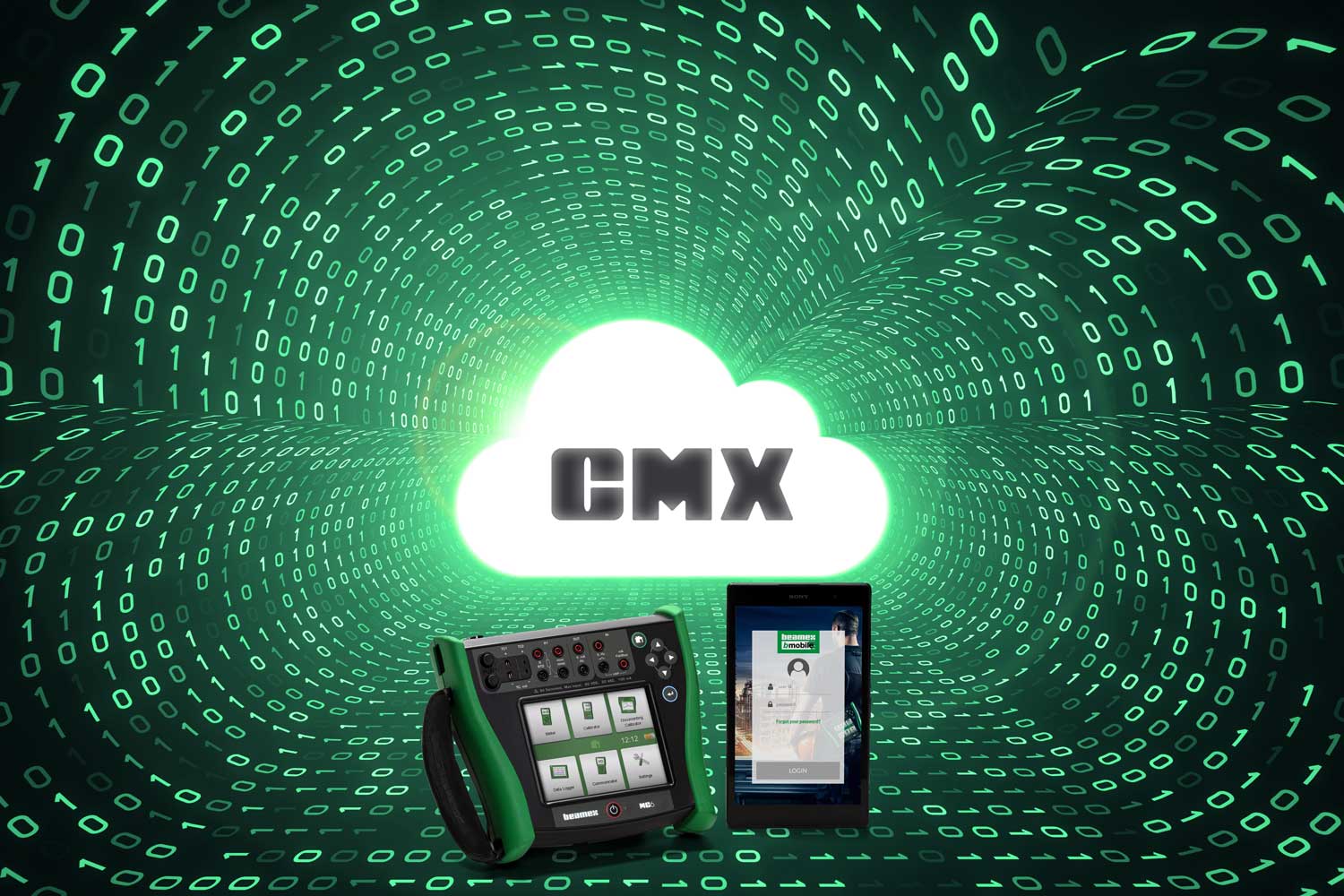
Use CMX with [Beamex documenting calibrators](https://www.beamex.com/calibrators/documenting-calibrators/) or the [bMobile Calibration Application](https://www.beamex.com/calibrators/bmobile/) to capture data digitally at the measurement source and to store calibration results securely, even when offline in the field.
With [Beamex Business Bridge](https://www.beamex.com/calibration-software/cmx/business-bridge/), CMX can be connected to leading maintenance management systems, such as SAP or IBM Maximo to minimize duplicate work and the risk of human error. Calibrations can be scheduled as a part of overall maintenance scheduling in your ERP or CMMS, and calibration work orders can be handled and completed with CMX.
You can create a completely digital flow of high-quality, reliable calibration data throughout your business.
## Customer success stories with Beamex CMX
1 year
#### Pay-back time on calibration solution investment
AstraZeneca Ab, Sweden
**[Read case story >](https://resources.beamex.com/hubfs/Beamex%20Case%20Story%20-%20AstraZeneca%20Ab%20Sweden%20ENG.pdf)**
50 %
### Efficiency improvement of calibration procedures
Peñoles Quimica del Rey, Mexico
[**Read case story >**](https://www.beamex.com/about-us/case-stories/game-changing-technology-for-calibration-process/)
4000
### Hours saved on calibrations per year
National Grid, UK
[**Read case story >**](https://www.beamex.com/about-us/case-stories/powering-up-uk-gas-transmission-asset-reliability-in-partnership-with-national-grid/)
## Fit for highly regulated industries
Data integrity and effective change management are vital in highly regulated industries, like the pharmaceutical industry. High-quality calibration data is critical to ensure end-product quality, regulatory compliance, and ultimately patient safety.
With CMX you can track all changes made to your calibration database and fulfill the requirements of 21 CFR Part 11 and other relevant regulations for electronic records, electronic signatures, and data integrity.
[Meet the Beamex pharma user group with Novartis, GlaxoSmithKline, Boehringer-Ingelheim, AstraZeneca, and more >](https://www.beamex.com/solutions/pharmaceutical-calibration/#pharmaceutical-user-group)

## Work smarter with data-enabled decisions
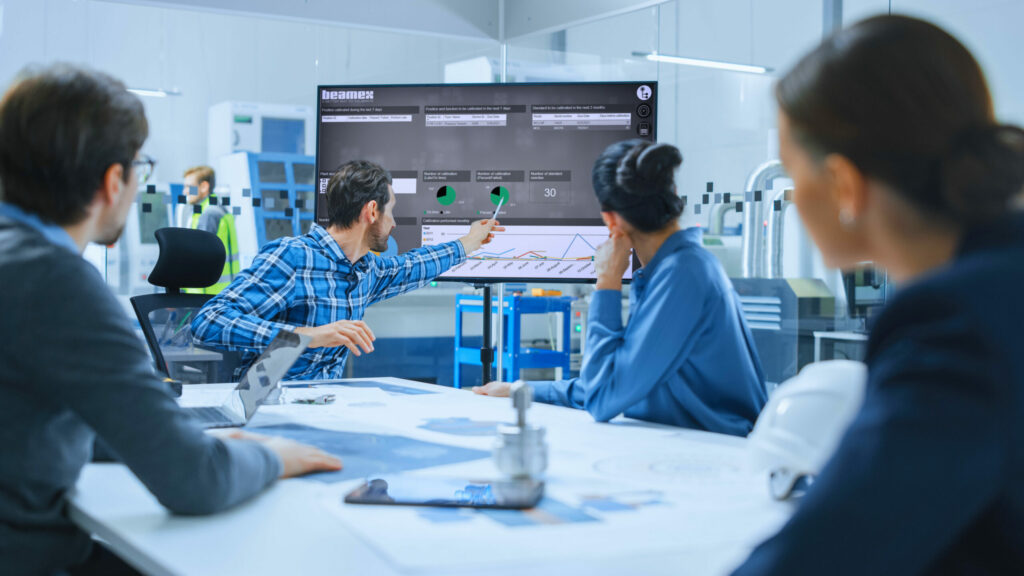
The reliable, traceable, and reusable calibration data in your CMX database is your company’s most valuable calibration asset – and you can use it to drive continuous improvement.
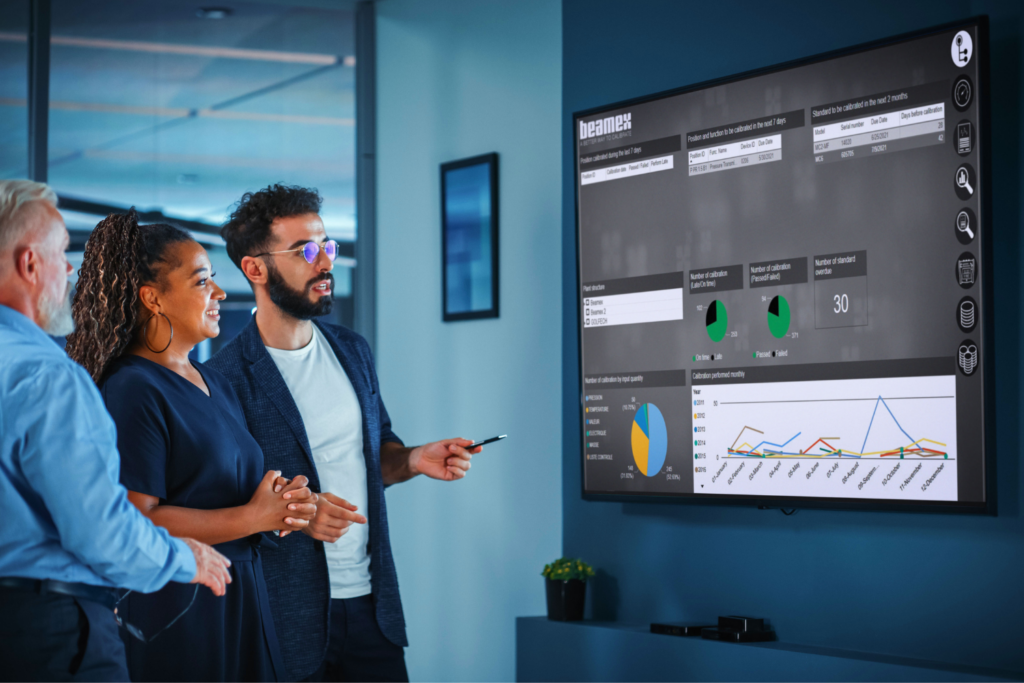
CMX helps you optimize calibration intervals, reduce costs by eliminating unnecessary calibrations, and you can identify potentially problematic trends before they lead to a failure that could impact production.
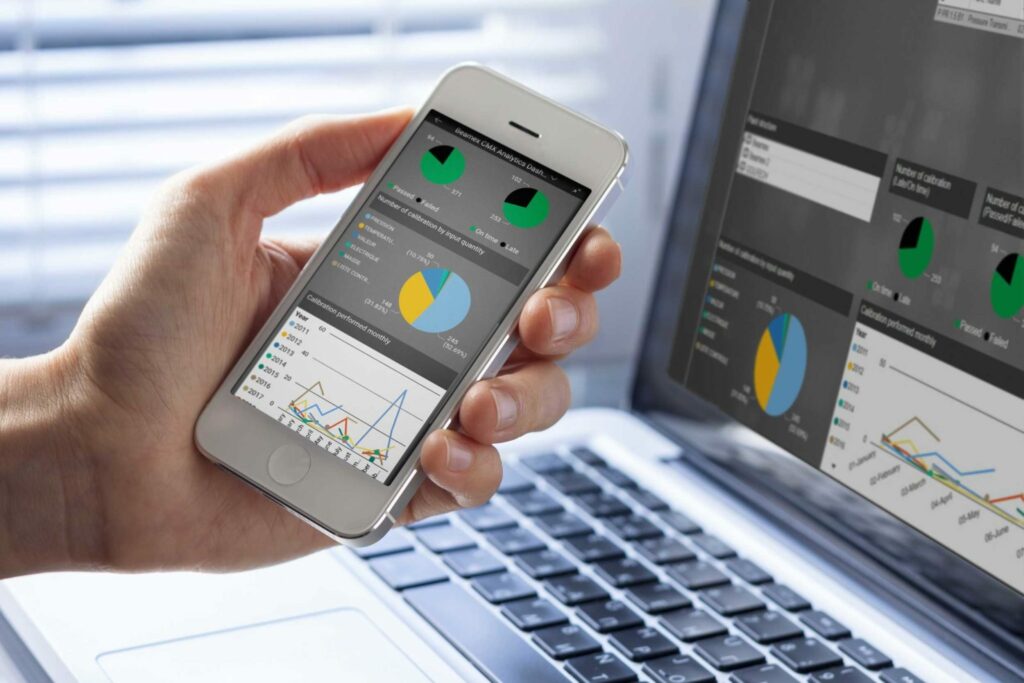
The [CMX Analytics Dashboard](https://www.beamex.com/calibration-software/cmx/analytics-dashboard/) helps you to get even more value from your calibration data by providing an easy-to-use visual summary of your calibration KPIs, so you can further optimize your calibration activities.
## Get a flying start with Beamex CMX calibration management software
See how CMX manages your instrumentation assets safely and helps you plan and execute calibrations. Learn from Beamex experts about CMX advanced features and our comprehensive onboarding experience.
[Learn more](https://www.beamex.com/services/expert-services/)
## Evolving lifecycle solution
Our customized, knowledge-based [expert services](https://www.beamex.com/services/expert-services/) support you at every stage of the solution lifecycle to ensure you deliver compliance and get the most out of CMX. Our experts evaluate your current process and identify room for improvement. We help you define and implement your solution and we ensure seamless adoption with comprehensive support during go-live.
A Beamex [Software Service Agreement (SSA)](https://www.beamex.com/services/expert-services/#software-service-agreements) will keep CMX and your business running reliably. You get access to the latest innovations and performance improvements, so your software evolves with your operations.
[Download the SSA flyer](https://www.beamex.com/app/uploads/2025/03/beamex-cmx-software-service-agreement-eng.pdf)

## What our customers say
> We chose Beamex as we feel the company is the industry leader when it comes to instrumentation calibration solutions. In addition, the majority of our clients use CMX software as their instrumentation database.
>
> Michael Slade, Managing Director of Slade Industries
> With the Beamex solution, thanks to automation, we have cut the number of steps needed to perform a calibration, saving 15 minutes per device. While this might not sound like much on its own, it adds up to a saving of over 4,000 hours per year.
>
> [Read the full case story >](https://www.beamex.com/us/about-us/case-stories/national-grid/)
>
> James Jepson, Control & Instrumentation Systems Officer, National Grid, UK

> For the most modern brewery in the world I think it was an excellent decision to choose the best calibration management system, the Beamex CMX calibration software and Beamex multifunction calibrators.
>
> [Read the full case story >](https://www.beamex.com/about-us/case-stories/heineken/)
>
> Armando Rivero Rubalcaba, Head of Instrumentation, Heineken, Spain
> Customer and regulatory audits have been heavily supported by Beamex functionality, always successful and heavily praised for its content we have had not a single issue with the data presented, viewed or reported on both internally and externally to FDA level.
>
> Paul Dixon, E&I Maintenance Manager, Sterling Pharma Solutions, UK
> Beamex has become our one stop shop for all our calibration requirements, it has streamlined the whole calibration process and helps to monitor and maintain compliance on site.
>
> Paul O’Sullivan, Engineering Planner, Zoetis, Ireland
> With the Beamex system, we now have all the calibration data stored digitally. Before this was stored on an external server. But now they are more concretely “our data” and can in the long term be even further integrated into our overall maintenance system if we decide to expand our software solution.
>
> [Read the full case story >](https://www.beamex.com/about-us/case-stories/silkeborg-varme/)
>
> Anders Ole Jensen, Engineer and Instrument Technician, Silkeborg Varme, Denmark
> CMX can provide a reliable calibration database with history functions, and therefore it´s a great tool to improve the efficiency of calibration functions. And of course, it was a huge improvement when it was possible to turn to paperless calibration documentation with CMX. It´s easy to use and maintain, and product support from vendor is first class.
>
> Orion, Finland
> Information is available at your fingertips in order to make quick decisions about the overall calibration status of instrumentation. Technicians focus on their work without the hassle of paper and other distractions. CMX has proved to be both robust and reliable without much required maintenance.
>
> Boehringer Ingelheim, US
> The pharma industry is highly regulated, so it’s an exciting step to move to paperless calibration management in the cloud. CMX ensures we comply with all relevant GxP regulations and removes the risk of manual error. Working in the cloud with Azure gives us access to new technologies and enhanced performance that further improve the user experience.
>
> Don Brady, Tech Engineering Product Manager, GlaxoSmithKline Ltd, Ireland
## Why choose CMX?
#### Technicians
Easy-to-use guided calibration.
Automated alerts and instructions for executing calibrations.
Store all calibration results quickly and easily.
Perform maintenance inspections in the field.
#### Managers
Be confident in an efficient and well-documented calibration process.
Reduce the time required for calibration.
Cut production downtime.
Decrease the total cost of calibration.
Minimize the risk of non-compliance
#### Quality and compliance
No more human errors.
Ensure regulatory compliance with e.g. ISO 9001, FDA, GMP/ GAMP, 21 CFR Part 11.
Create, manage, and store calibration data safely in an electronic database.
Analyze whether you need to increase or decrease calibration frequency.
Explore better ways to analyze, standardize, and manage calibration systems as part of your IT landscape.
[Read about governing calibration software](https://www.beamex.com/solutions/governing-calibration-software/)
## Advanced CMX applications

### Maintenance inspections
All process plants need to carry out various regular inspections, and working with pen and paper makes the process error-prone and labor-intensive. CMX helps you plan, schedule, execute, and digitally document maintenance inspection activities.
Inspections are planned in CMX and executed using the bMobile application, with data captured digitally at the measurement source. An electronic signature can be used to ensure data integrity. Once complete, results are synced back to CMX for analysis and reporting.
[Watch the maintenance inspections and bMobile video >](https://www.beamex.com/resources/?_resource_type=video&_resource_product=bmobile)
### Weighing instrument calibration
CMX includes feature-rich functionality for the calibration of weighing instruments, based on standards from EURAMET, OIML, and NIST. It covers eccentricity tests, repeatability tests, weighing tests, and minimum capability tests.
Calibrations can be executed in CMX or offline with the bMobile application. The optional security features ensure data integrity, making CMX an ideal solution for highly regulated industries.
[How to calibrate weighing instruments >](https://blog.beamex.com/weighing-scale-calibration-how-to-calibrate-weighing-instruments)
## A Buyer’s Guide to Calibration Management Software
If you’re evaluating calibration management software, our **Buyer’s Guide** is a must-read. It will give you a clear roadmap to making an informed decision that aligns with your business goals.
[Learn more and download](https://resources.beamex.com/a-buyers-guide-to-calibration-management-software)
## Related products
### [Documenting calibrators](https://www.beamex.com/calibrators/documenting-calibrators/)
Manage your calibrations with CMX and execute them with highly accurate Beamex documenting calibrators to capture data digitally at the measurement source.
**[Learn more >](https://www.beamex.com/calibrators/documenting-calibrators/)**

### [bMobile application](https://www.beamex.com/calibrators/bmobile/)
The Beamex bMobile Calibration Application is an intuitive, multi-platform solution for offline guided execution and documentation of field calibrations.
**[Learn more >](https://www.beamex.com/calibrators/bmobile/)**
### [CMX Analytics Dashboard](https://www.beamex.com/calibration-software/cmx/analytics-dashboard/)
The Beamex CMX Analytics Dashboard provides an easy-to-use visual summary of your key calibration performance indicators.
**[Learn more >](https://www.beamex.com/calibration-software/cmx/analytics-dashboard/)**

### [Business Bridge](https://www.beamex.com/calibration-software/cmx/business-bridge/)
Beamex Business Bridge is a commercial off-the-shelf configurable solution for connecting CMX to maintenance management systems (CMMS or ERP).
**[Learn more >](https://www.beamex.com/calibration-software/cmx/business-bridge/)**
## Related services
### [Expert services](https://www.beamex.com/services/expert-services/)
Our world-leading experts are here to support you to get the most out of CMX. We are your partner for calibration excellence.
**[Learn more >](https://www.beamex.com/services/expert-services/)**
### [Software Service Agreement](https://www.beamex.com/services/expert-services/#software-service-agreements)
A software service agreement (SSA) ensures access to the latest innovations and updates so your software can evolve with your operations.
**[Learn more >](https://www.beamex.com/services/expert-services/#software-service-agreements)**

### [Support services](https://www.beamex.com/services/expert-services/#support-services)
Beamex specialists are ready to support you every step of the way, with whatever problem you are facing with your Beamex products.
**[Learn more >](https://www.beamex.com/services/expert-services/#support-services)**
### [Training services](https://www.beamex.com/services/expert-services/#training-services)
Get maximum benefit from your Beamex products, expand your knowledge, and learn best practices with our comprehensive training services.
**[Learn more >](https://www.beamex.com/services/expert-services/#training-services)**
[Download the Beamex brochure](https://www.beamex.com/app/uploads/2025/12/beamex-solutions-for-calibration-excellence.pdf)
[Schedule a free demo](https://resources.beamex.com/demo-request)
[Book a consultation](https://resources.beamex.com/expert-request)
## Watch more CMX videos
Video
### [Beamex CMX 2.18 – Scaling support](https://www.beamex.com/videos/cmx-scaling-support/)
Discover scaling support in CMX 2.18. Configure scaled values in CMX and transfer them to MC6 family calibrators for use during calibration.
Video
### [Beamex CMX 2.18 – Configurator for automatic result validation rules](https://www.beamex.com/videos/cmx-configurator-for-automatic-result-validation-rules/)
Discover automatic result validation in CMX 2.18. Create custom rules to flag calibration results that require additional review.
Video
### [Beamex CMX 2.18 – Dataloader for references and users](https://www.beamex.com/videos/cmx-dataloader-for-references-and-users/)
Discover the expanded Data Loader in CMX 2.18. Export, update, and import references and users in bulk using Excel-based templates.
Video
### [Beamex CMX 2.18 – Eccentricity test](https://www.beamex.com/videos/cmx-eccentricity-test/)
Discover the updated weighing instrument calibration in CMX 2.18, including the new eccentricity off-center limit for eccentricity tests.
Video
### [Beamex CMX 2.18 – Improved smart sensor support](https://www.beamex.com/videos/cmx-improved-smart-sensor-support/)
CMX 2.18 improves smart sensor support with MC6 family calibrators.
 Video
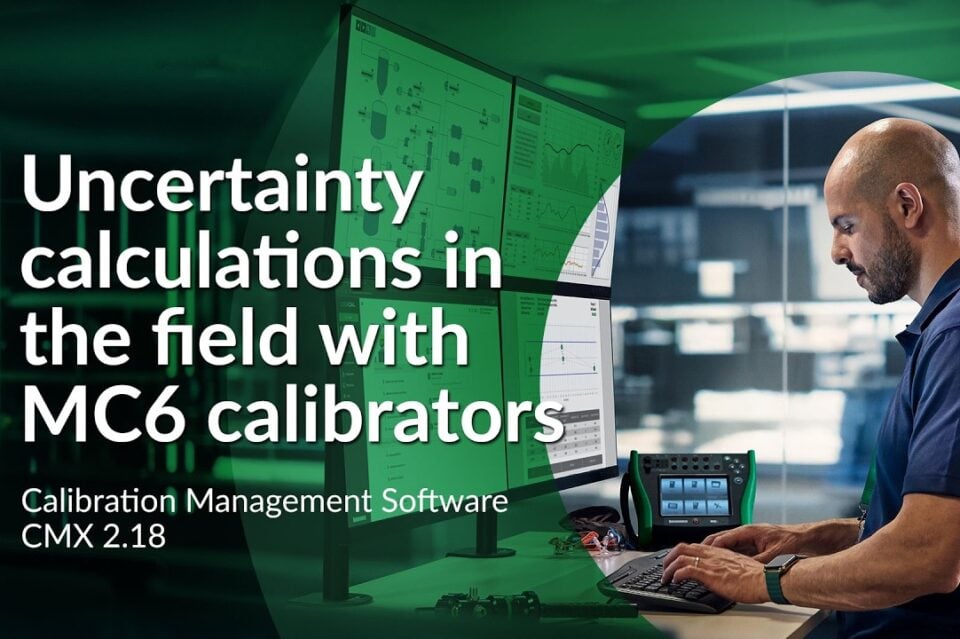
### [Beamex CMX 2.18 – Uncertainty calculations](https://www.beamex.com/videos/cmx-uncertainty-calculations/)
CMX 2.18 brings uncertainty information directly into the field with MC6 family firmware 5.30.
 Video
### [Beamex CMX 2.17 Reference Filtering](https://www.beamex.com/videos/cmx-reference-filtering/)
Introducing the Reference Filtering, a new standard feature in Beamex CMX Calibration Management Software, version 2.17.
 Video
### [Beamex CMX 2.17 Repeatability Test](https://www.beamex.com/videos/cmx-repeatability-test/)
Introducing the Repeatability Test, a new standard feature in Beamex CMX Calibration Management Software, version 2.17. This feature allows you to create and document calibration repeats in CMX.
 Video
### [Beamex CMX 2.17 Approval Workflow](https://www.beamex.com/videos/cmx-approval-workflow/)
Introducing the Approval Workflow, a new feature in Beamex CMX Calibration Management Software version 2.17.
 Video
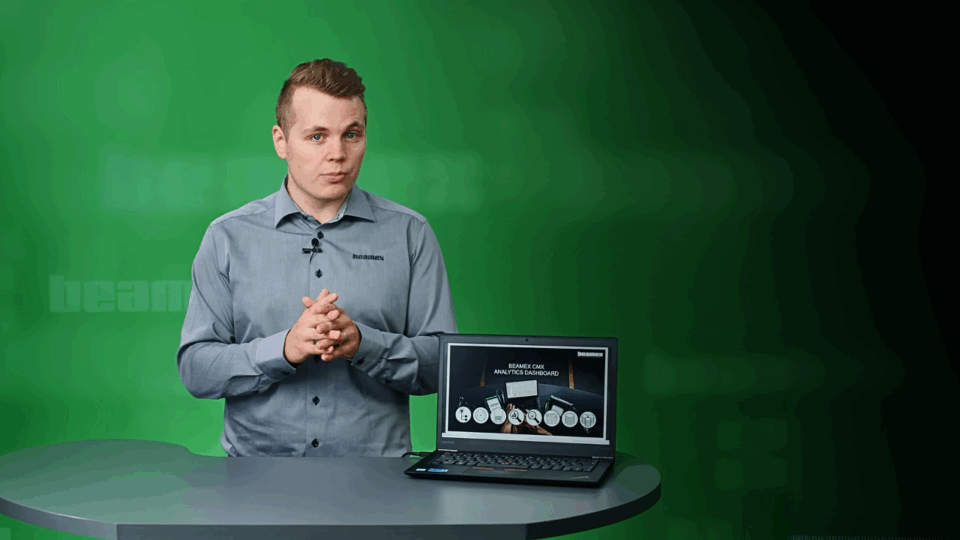
### [A visual overview of your calibration data – CMX Analytics Dashboard](https://www.beamex.com/videos/a-visual-overview-of-your-calibration-data-cmx-analytics-dashboard/)
Beamex CMX helps in planning, managing, analyzing, and documenting all calibration work and assets safely and efficiently.
 Video
### [A better way to analyze your calibration data – CMX Analytics Dashboard](https://www.beamex.com/videos/a-better-way-to-analyze-your-calibration-data-cmx-analytics-dashboard/)
With Beamex CMX Analytics Dashboard you can plan your work better, cut costs and make your calibration work more efficient.
 Video
### [Beamex CMX Analytics Dashboard – introduction](https://www.beamex.com/videos/beamex-cmx-analytics-dashboard-introduction-video/)
How can you get a better overview of calibration data and calibration related KPIs? The Beamex CMX calibration software helps in planning, managing, analyzing, and documenting all calibration work and assets safely and efficiently.
 Video
### [Beamex CMX Calibration Software data migration](https://www.beamex.com/videos/beamex-cmx-calibration-software-data-migration-video/)
Beamex CMX calibration software can be integrated into leading maintenance management systems, such as IBM Maximo, SAP or Infor EAM.
 Video
### [Beamex CMX Calibration Software reports](https://www.beamex.com/videos/beamex-cmx-calibration-software-reports-video/)
With CMX you can produce reports automatically – all calibration data is stored in the database and can be signed electronically.
Video
### [Weighing Scale Calibration](https://www.beamex.com/videos/weighing-scale-calibration-video/)
Weighing scales are widely used in process industry. And as all measurement devices, also weighing scales need to be calibrated regularly, to maintain sufficient accuracy and traceability.
 Video
### [Beamex CMX Calibration Software – introduction](https://www.beamex.com/videos/beamex-cmx-calibration-software-introduction-video/)
For many companies, a seamlessly integrated set of IT systems is critical to business efficiency, profitability and growth. Beamex CMX software will help you plan and schedule calibration and inspection work.
Video
### [Introduction to a paperless calibration system](https://www.beamex.com/videos/introduction-to-a-paperless-calibration-system-video/)
A step-by-step introduction of a paperless calibration system made of the Beamex CMX Calibration Software and the Beamex MC6 Advanced Field Calibrator and Communicator.
## Discover more related content
Blog
### [The Digital Calibration Certificate (DCC) is coming – Is your business ready to benefit?](https://blog.beamex.com/the-digital-calibration-certificate-is-coming)
Digital calibration certificates (DCC) are transforming process industries with standardized, machine-readable data that improves traceability, trust, and efficiency.
Blog
### [A Buyer’s Guide to Calibration Management Software](https://blog.beamex.com/a-buyers-guide-to-calibration-management-software)
Make smart decisions that give you the best return on investment
eBook
### [A Buyer’s Guide to Calibration Management Software](https://resources.beamex.com/a-buyers-guide-to-calibration-management-software)
Make smart decisions that give you the best return on investment
Blog
### [Cloud vs. On-Premises Calibration Solutions](https://blog.beamex.com/cloud-vs-on-premises-calibration-solutions)
Compare cloud vs. on-premises calibration solutions to find the best fit for your needs. Learn the key benefits and considerations of each.
Blog
### [Automating the Calibration Management Ecosystem](https://blog.beamex.com/automating-the-calibration-management-ecosystem)
What is the Calibration Management Ecosystem and what are the steps involved in implementing an automated process?
Calculator
### [Calibration Process Savings Calculator](https://resources.beamex.com/calibration-savings-calculator)
Discover how much you could save on operational costs in just a few clicks.
Blog
### [Digital Calibration Certificate (DCC) – What is it and why should you care?](https://blog.beamex.com/digital-calibration-certificate-dcc-what-is-it-and-why-should-you-care)
Learn the power of the Digital Calibration Certificate (DCC) for calibration efficiency and traceability.
 Blog
### [CMMS calibration module or dedicated calibration software?](https://blog.beamex.com/cmms-calibration-module-or-dedicated-calibration-software)
Learn the differences between the calibration module in CMMS and a dedicated calibration management software.
Blog
### [Ensuring sustainable management of process safety for chemicals](https://blog.beamex.com/ensuring-sustainable-management-of-process-safety-for-chemicals)
In the chemicals industry, safety is priority number one. But how do you ensure safety in a sustainable way? When it comes to calibration, the answer is a modern, digitalized, and automated solution.
Blog
### [How to avoid safety and compliance issues in fine chemicals](https://blog.beamex.com/how-to-avoid-safety-and-compliance-issues-in-fine-chemicals)
In the fine chemicals industry, one of the keys to ensuring both safety and compliance is that measurements taken throughout the production process are accurate, which can be challenging with paper-based calibration.
Blog
### [Improving efficiency and ensuring compliance in the pharmaceutical industry](https://blog.beamex.com/improving-efficiency-and-ensuring-compliance-in-the-pharmaceutical-industry)
Done properly, digitalization can unlock a whole host of benefits for pharmaceutical companies including greater efficiency, cost savings, and the ability to do data analysis.
eBook
### [Calibration Essentials: Software](https://resources.beamex.com/en/calibration-essentials-software)
This Calibration Essentials Software eBook contains 67 pages of guidance and insights into how calibration software can assist you in implementing best practices.
Blog
### [Calibration Management – transition from paper-based to digital](https://blog.beamex.com/calibration-management-transition-from-paper-based-to-digital)
Improve the quality and consistency by transitioning from a paper-based calibration management system to an integrated, digital, paperless solution.
Blog
### [The Evolution of Calibration Documentation](https://blog.beamex.com/the-evolution-of-calibration-documentation)
Advances in technology seem to come faster and faster and today, dedicated calibration software is the most advanced solution available to support and guide calibration management activities.
eBook
### [Calibration Essentials: Temperature](https://resources.beamex.com/lp-calibration-essentials-temperature)
In 53 detailed pages, this book explains strategies and tactics for calibrating temperature instrumentation.
Blog
### [Manual data entry errors](https://blog.beamex.com/manual-data-entry-errors)
Manual entry is still commonly used in the industrial processes even though it is a slow and labour-intensive process with high possibility of human error.
Blog
### [CMMS and Calibration Management integration – Bridging the gap](https://blog.beamex.com/bridging-the-gap)
How can an implementation of a business bridge reduce manual interventions and human error?
eBook
### [Calibration Essentials: Pressure](https://resources.beamex.com/en/calibration-essentials-pressure)
Download 40 pages of detailed strategies and resources for calibrating your pressure instrumentation.
Blog
### [Why use Calibration Software?](https://blog.beamex.com/why-use-calibration-software)
If you’re thinking about leaving the paper documentation lifestyle, using calibration software should be the ultimate goal. On your way there, you could store results in a spreadsheet or generic database.
Blog
### [How a business analyst connected Calibration and Asset Management \[Case Story\]](https://blog.beamex.com/how-a-customer-connected-calibration-and-asset-management)
How one of America’s largest public power utilities integrated its asset management software with calibration software to reduce risk and increase efficiency.
eBook
### [Calibration Essentials: Managing Your Calibration Program](https://resources.beamex.com/calibration-essentials-managing-your-program)
In 23 detailed pages, this book explains strategies and tactics for managing and updating a process instrumentation calibration program.
Blog
### [How to implement Calibration Software](https://blog.beamex.com/how-to-implement-calibration-software)
Getting calibration software is much more than just selecting the right product and buying the necessary number of licenses. The hardest part is to get people to use the calibration software in the right way.
```json
{"@context":"https://schema.org","@graph":[{"@type":"WebPage","@id":"https://www.beamex.com/calibration-software/cmx/","url":"https://www.beamex.com/calibration-software/cmx/","name":"Beamex CMX Calibration Management Software | Beamex","isPartOf":{"@id":"https://www.beamex.com/#website"},"primaryImageOfPage":{"@id":"https://www.beamex.com/calibration-software/cmx/#primaryimage"},"image":{"@id":"https://www.beamex.com/calibration-software/cmx/#primaryimage"},"thumbnailUrl":"https://www.beamex.com/app/uploads/2016/06/Calibrations-under-control-v1-scaled-1-e1662375845512.jpg","datePublished":"2022-10-13T06:26:24+00:00","dateModified":"2026-11-10T13:15:03+00:00","description":"Beamex CMX Calibration Management Software helps you plan and manage calibration work and assets safely and efficiently, even in highly regulated industries. Spend less time and money on calibration, and deliver compliance.","breadcrumb":{"@id":"https://www.beamex.com/calibration-software/cmx/#breadcrumb"},"inLanguage":"en-GB","potentialAction":[{"@type":"ReadAction","target":["https://www.beamex.com/calibration-software/cmx/"]}]},{"@type":"ImageObject","inLanguage":"en-GB","@id":"https://www.beamex.com/calibration-software/cmx/#primaryimage","url":"https://www.beamex.com/app/uploads/2016/06/Calibrations-under-control-v1-scaled-1-e1662375845512.jpg","contentUrl":"https://www.beamex.com/app/uploads/2016/06/Calibrations-under-control-v1-scaled-1-e1662375845512.jpg","width":1501,"height":1124,"caption":"Beamex CMX calibration management software and MC6 process calibrator"},{"@type":"BreadcrumbList","@id":"https://www.beamex.com/calibration-software/cmx/#breadcrumb","itemListElement":[{"@type":"ListItem","position":1,"name":"Home","item":"https://www.beamex.com/"},{"@type":"ListItem","position":2,"name":"Calibration Software","item":"https://www.beamex.com/calibration-software/"},{"@type":"ListItem","position":3,"name":"Beamex CMX"}]},{"@type":"WebSite","@id":"https://www.beamex.com/#website","url":"https://www.beamex.com/","name":"Beamex","description":"Calibration solutions, calibrators, software and services | Beamex","publisher":{"@id":"https://www.beamex.com/#organization"},"potentialAction":[{"@type":"SearchAction","target":{"@type":"EntryPoint","urlTemplate":"https://www.beamex.com/?s={search_term_string}"},"query-input":{"@type":"PropertyValueSpecification","valueRequired":true,"valueName":"search_term_string"}}],"inLanguage":"en-GB"},{"@type":"Organization","@id":"https://www.beamex.com/#organization","name":"Beamex","url":"https://www.beamex.com/","logo":{"@type":"ImageObject","inLanguage":"en-GB","@id":"https://www.beamex.com/#/schema/logo/image/","url":"https://www.beamex.com/app/uploads/2022/06/beamex-logo.svg","contentUrl":"https://www.beamex.com/app/uploads/2022/06/beamex-logo.svg","width":358,"height":62,"caption":"Beamex"},"image":{"@id":"https://www.beamex.com/#/schema/logo/image/"},"legalName":"Beamex Oy Ab","foundingDate":"1975","description":"Beamex is your trusted partner for calibration excellence, providing accurate measurements, reliable data, and traceability for a safer and less uncertain world.","telephone":"+358 10 550 5000","address":{"@type":"PostalAddress","streetAddress":"Ristisuonraitti 10","postalCode":"68600","addressLocality":"Pietarsaari","addressCountry":"FI"},"sameAs":["https://www.instagram.com/beamexcalibration","https://www.facebook.com/BeamexCalibration","https://www.linkedin.com/company/beamex/","https://blog.beamex.com/","https://www.youtube.com/BeamexCalibration","https://twitter.com/beamexglobal","https://www.crunchbase.com/organization/beamex"],"subOrganization":[{"@id":"https://www.beamex.com/#org-de"},{"@id":"https://www.beamex.com/#org-fr"},{"@id":"https://www.beamex.com/#org-uk"},{"@id":"https://www.beamex.com/#org-us"},{"@id":"https://www.beamex.com/#org-se"},{"@id":"https://www.beamex.com/#org-nl"},{"@id":"https://www.beamex.com/#org-ca"},{"@id":"https://www.beamex.com/#org-cn"}]},{"@type":"Organization","@id":"https://www.beamex.com/#org-de","parentOrganization":{"@id":"https://www.beamex.com/#organization"},"name":"Beamex GmbH","telephone":"+49 2161 62115 0","faxNumber":"+49 2161 62115 99","address":{"@type":"PostalAddress","streetAddress":"Am Nordpark 1","postalCode":"41069","addressLocality":"Mönchengladbach","addressCountry":"DE"}},{"@type":"Organization","@id":"https://www.beamex.com/#org-fr","parentOrganization":{"@id":"https://www.beamex.com/#organization"},"name":"Beamex S.A.S.","telephone":"+33 3 20 04 57 62","address":{"@type":"PostalAddress","streetAddress":"270 Avenue de la République","postalCode":"59110","addressLocality":"La Madeleine","addressCountry":"FR"}},{"@type":"Organization","@id":"https://www.beamex.com/#org-uk","parentOrganization":{"@id":"https://www.beamex.com/#organization"},"name":"Beamex Limited","telephone":"+44 1455 821 920","address":{"@type":"PostalAddress","streetAddress":"Unit 1, Interchange 21, Centre Court","postalCode":"LE19 1WR","addressLocality":"Leicester","addressCountry":"GB"}},{"@type":"Organization","@id":"https://www.beamex.com/#org-us","parentOrganization":{"@id":"https://www.beamex.com/#organization"},"name":"Beamex, Inc.","telephone":"+1 770 951 1927","contactPoint":[{"@type":"ContactPoint","telephone":"+1 800 888 9892","contactType":"customer service","areaServed":"US"}],"address":{"@type":"PostalAddress","streetAddress":"2018 Powers Ferry Road SE, Suite 100","postalCode":"30339","addressLocality":"Atlanta","addressRegion":"GA","addressCountry":"US"}},{"@type":"Organization","@id":"https://www.beamex.com/#org-se","parentOrganization":{"@id":"https://www.beamex.com/#organization"},"name":"Beamex Calibration Solutions AB","telephone":"+46 70 140 54 10","contactPoint":[{"@type":"ContactPoint","telephone":"+46 72 198 03 23","contactType":"sales","areaServed":"Götaland"},{"@type":"ContactPoint","telephone":"+46 70 140 54 10","contactType":"sales","areaServed":"Svealand"},{"@type":"ContactPoint","telephone":"+46 72 198 03 20","contactType":"sales","areaServed":"Norrland"}],"address":{"@type":"PostalAddress","postOfficeBoxNumber":"24103","postalCode":"104 51","addressLocality":"Stockholm","addressCountry":"SE"}},{"@type":"Organization","@id":"https://www.beamex.com/#org-nl","parentOrganization":{"@id":"https://www.beamex.com/#organization"},"name":"Beamex B.V.","telephone":"+31 76 799 8606","address":{"@type":"PostalAddress","streetAddress":"Lage Mosten 49-63","postalCode":"4822 NK","addressLocality":"Breda","addressCountry":"NL"}},{"@type":"Organization","@id":"https://www.beamex.com/#org-ca","parentOrganization":{"@id":"https://www.beamex.com/#organization"},"name":"Beamex Calibration Solutions Ltd.","telephone":"+1 289 424 2639","address":{"@type":"PostalAddress","streetAddress":"2425 Matheson Boulevard East, 8th Floor, Unit 909","postalCode":"L4W 5K4","addressLocality":"Mississauga","addressRegion":"ON","addressCountry":"CA"}},{"@type":"Organization","@id":"https://www.beamex.com/#org-cn","parentOrganization":{"@id":"https://www.beamex.com/#organization"},"name":"Beamex Measurement Technology (Shanghai) Co., Ltd.","telephone":"+86 4000 888 980","faxNumber":"+86 21 6104 1418","address":{"@type":"PostalAddress","streetAddress":"Rm 401, #2 Bldg, 690 Bi Bo Road, Zhangjiang Hi-Tech Park","postalCode":"201203","addressLocality":"Shanghai","addressCountry":"CN"}}]}
```